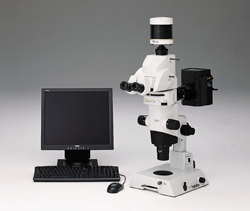
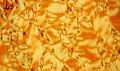
castIron is the software specially designed to analyze gray iron. It measures the shape and size of graphite, as well as the ratio of ferrite to perlite. Both of these measurements meet the requirements of well established national and international standards like EN-ISO and ASTM.
All functions support either automatic or manual operation. The implementation of individual company standards is supported.
Analysis of cast iron according to standards
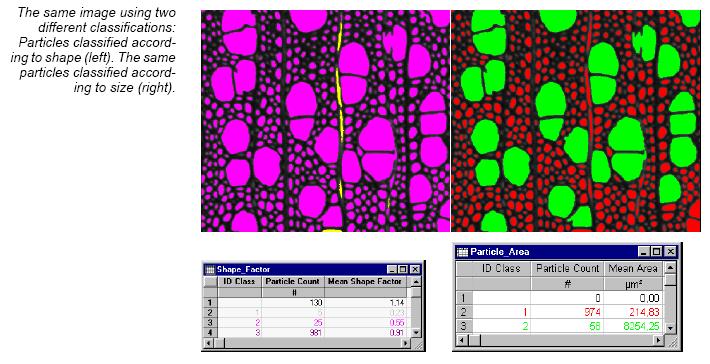
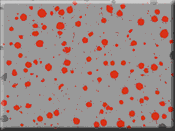
castIron uses modern image-analytical multiclassification algorithms. Each graphite particle is automatically recognized and classified with regard to its shape and size. Results are presented either according to · ASTM A 247 · JIS G 5502 · EN ISO 945 or · GB 9441-88.
Switching on the detailed analysis option enables the calculation of additional size and shape factor distributions. These are outputted in sheet and diagram format.
The ferrite and perlite fraction is calculated with the graphite content taken into account. The automatically generated result sheets and diagrams can be outputted in different formats.
All settings of castIron are saved to profiles and therefore easily adaptable to different preparation techniques or report requirements.
castIron is completely integrated into the analySIS®image analytical software. This integration ensures that the whole evaluatory process – from image acquisition to the completed report – is fully automated.
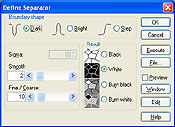
castIronautomatically sets thresholds and therefore detects graphite particles immediately. The graphite particles can be classified according to predefined standards. A detailed shape class statistic is included to achieve highly precise and reliable reults. To rule out any statistical or specimen-related error, castIron supports the fast and efficient evaluation of a great number of images for one analysis.
Ferrite to perlite ratio measurements are corrected for the graphite sample. Corrections can be made using either a manually inputted constant graphite value or the result of a preceeding graphite measurement.
castIron can operate fully automatic when using the analySIS® AutoMater. A simple push of the button, and all images are acquired, evaluated and the report is generated.
Specifications
automatic evaluation of cast iron with regard to size and shape of the graphite
all common norms supported (ASTM A 247, JIS G 5502, EN ISO 945, GB 9441-88)
integration of individual industry and company norms
detailed shape and size class statistics
determination of ferrite and perlite proportions regarding graphite content
graphite content immediately updated via most recently conducted measurement – at the push of a button
automatic generation of norm-adapted report
all settings saveable
entire evaluatory process is fully automated
integrated in analySIS® 3.0 and higher
Layer Thickness
analySIS Five imager 이상의 제품에 Module을 추가 할 수 있습니다.
Surface coatings protect materials from corrosion and wear. Specially applied coatings provide materials with new properties.
These might be decorative coatings or insulatory and anti-corrosion coatings as well. Other kinds of coatings alter hardness locally.
Soft Imaging System offers a series of solutions for determining the various thickness parameters. The analySIS® add-in ltm (layer thickness measurement) offers efficient coating-thickness measurement and crack analysis.
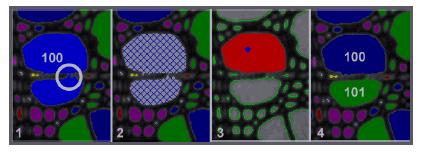
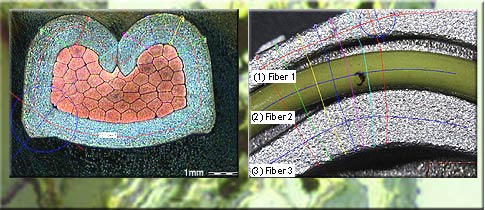
The concept ltm is mainly a tool for manually determining layer thickness for analyzing porous or compact coatings but also provides highly precise measurement of crack widths. The add-in supports any layer geometry with no restrictions to straight lines. ltm measures layer thickness(-es) of single and multiple coatings of a cut specimen using the concept of neutral fibers which predefine the direction of the measurement.
Measurement options and data handling
When measuring, ltm is capable of following the contours of arbitrarily shaped surfaces. The software tracks the crack or the shape of the contour of the coating and provides the calculated data results immediately. Several measurement features such as layer-thickness values for each layer, average values, minimum and maximum values or standard deviation and a tolerance control are available.
Fully integrated
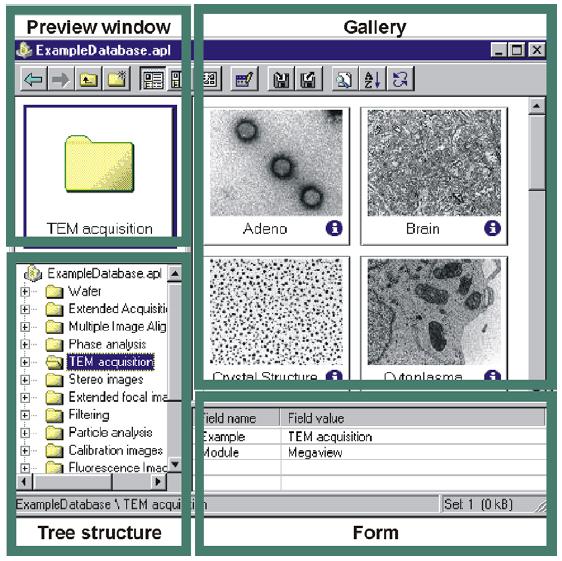
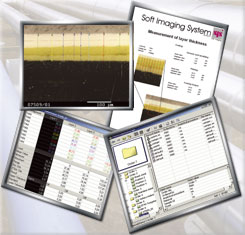
The full integration of ltm into the analySIS® software provides all the capabilities and advantages to successfully face the challenges of image processing and analysis. All relevant images, evaluation sheets and diagrams can be stored in the structured archiving system with one mouse click following layer thickness measurement. Using drag&drop functionality for images, sheets, diagrams and database content, the report generator lets you create professional reports from the archived data within seconds.
Specifications
Convenient tool for measuring layer thicknesses in cross sections Supports any layer geometry and orientation Supports multiple layers – coherent or not coherent Concept of neutral fibers for high precision measurements Multitude of neutral fiber definable Result sheet includes statistics Support of tolerances for every single layer (“OK- Not OK” evaluation (if tolerances are specified) Layer structures can be saved for later use including all parameters Fully integrated into analySIS® (image acquisition, image processing and analyzing, structured archiving, reporting)
BONUS Package란 무료로 제공되는 기능으로서 ChartNav, mht (microhardness testing), roughness를 지원합니다. 단, analySIS Five imager 이상의 제품만 지원합니다. (imager, docu, auto, pro등급만 지원)
chartNav specialized module for use in the metallography field
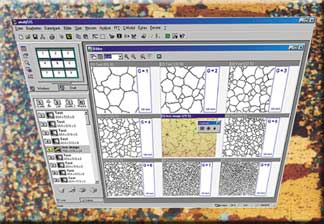
chartNav makes use of the analySIS® ViewPort Manager. This ViewPort Manager enables you to view several images simultaneously via multiple ViewPorts. This makes comparing a live image to reference images very easy – at a glance.
chartNav is operated via specific dialog boxes. A separate button bar allows you to switch back and forth between the 3×3 or 2×2 image configuration.
The alignment series required is selected from an extendable list. chartNav supports the creation of your own, and in principle, as-long-as-you-wish alignment series. Predefined norm series can be supplemented; user-defined alignment series created.
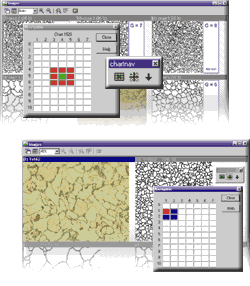
You can switch back and forth between a 2×2 or 3×3 image view. A green square represents live-image position (for the 3×3 view, this is in the center; for 2×2, at the upper-left). This square can be moved to the various lines and columns via mouse / keyboard. This is the way further images of the alignment series are displayed in ViewPorts. Lines and columns can be named as you like. You can also have the name of the norm series displayed.
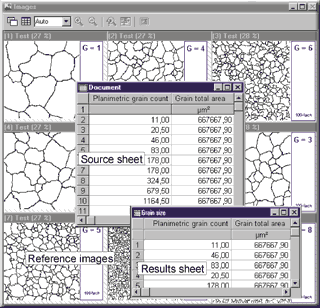
Moreover, you can have the name of the current alignment series displayed and edit the line and column names. Each alignment series can be extended with a user-definable data sheet. Its lines contain the specific data of the respective reference images. This data can be transferred to a results sheet during an alignment-series comparison and used for classification of the object within the live image. The statistic functions within analySIS® provide additional evaluation options.
Once you’ve found the appropriate reference image, you can transfer its data from a user-definable source sheet to a list of results at the click of a button. A statistical evaluation of this classification provides further information. Images acquired and result sheets can be saved and managed in theanalySIS® integrated database.
chartNav ensures rapid image acquisition, assignment of live image to reference image, and documentation of object properties.
We also offer chartnav extensions for the following standards:
chartNav extensions:
description
Digital Chart DIN 50601
Reference images of standard DIN 50601 for micrographic determination of the ferritic or austenitic grain size of steels and ferrous materials.
Digital Chart DIN 50602
Reference images of standard DIN 50602 for the microscopic examination of special steels using standard diagrams to assess the content of non-metallic inclusions.
Digital Chart DIN EN ISO 945
Reference images of standard DIN EN ISO 945 for the designation of microstructure of graphite inclusive.
Digital Chart ISO 643
Reference images of standard ISO 643 for the micrographic determination of the ferritic or austenitic grain size.
Digital chart ASTM E 112
Reference images of standard ASTM E 112 for the micrographic determination of the ferritic or austenitic grain size.
Specifications
excellent ergonomics through simultaneous image display alignment-series comparison with live or saved images easy to operate via the image matrix 3×3 or 2×2 image views easy to select image series unrestricted definition of own image series display of ID numbers easy classification via user-definable data sheets statistical and archiving functions integrated in analySIS® 3.0 and higher
mht(microhardness testing)
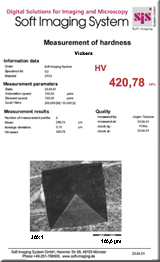
Analyzing microhardness indents quantitatively
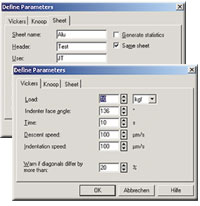
mht is the analySIS® module for determining microhardness according to Vickers and Knoop. mht supports ‘Reportlink’ so you can insert your measurement results into reportsfully automatically.
mht investigates the hardness indents using interactive measurement methods.
Results appear in a sheet which includes the measured and calculated values, including statistical evaluation.
mht supports determination of hardnesscurves. You define the starting line and direction interactively.
The calculated values are then displayed graphically. mht also provides you with the option of reading out your devicesetting.
· EN ISO 945 · ASTM A 247 · GB 9441-88 · …
Roughness Module
analySIS Five imager 이상의 제품에 기본적으로 사용이 가능한 Roughness 는 캡쳐된 화면의 정보를 이용하여 Roughness를 측정 합니다.
How to measure Roughness
Roughness along a line
The results of a roughness measurement is given as a set of parameters and profiles, derived from a measurement of the surface of the specimen.
This measurement is performed along a line. The traditional method for this
Primary, Roughness, and Waviness 233 is leading a mechanical stylus across the surface of the specimen and tracking the height variation. The actual parameters and profiles are extracted and calculated from this measurement. With the roughness module you interactively perform the measurement on an image calibrated so that the image intensity corresponds to a height value. A “no dimension” approach is also supported. In case a dimension is required, the given parameters is noted as “NA”.
Roughness along a
polyline
Using the Roughness module in 1D, you may also measure the roughness along a polyline instead along a simple, straight line. The calculations used for determining the profiles are designed to correctly handle measurements along straight lines, though. This means that the roughness and waviness near the vertices of the polyline have to be used with caution.
Roughness in a rectangular
area
The traditional approach of leading a mechanical stylus along a line across the surface, does not allow extending the method to two-dimensional measurements.
Therefore, all roughness parameters are calculated rather than measured. For an explanation and the formulas used, refer to the chapter Measuring 2D Roughness.
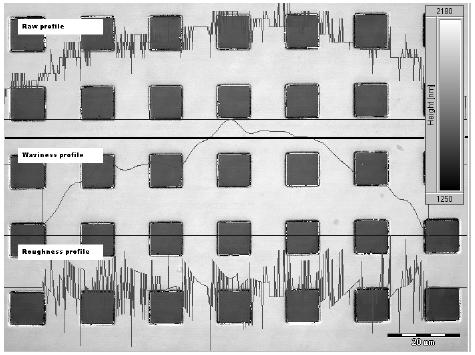
An example for three profiles for a Row displayed. the thick, black line is the one selected for the analysis.
The parts with a value of 0 in the waviness and roughness profiles are due to the setting of λc
“analySIS“제품은 세계적으로 유명한 독일의 영상분석 전문업체인 OLYMPUS Soft Imaging System(OSIS) 사에서 제작한 최첨단 영상분석 프로그램입니다.
OLYMPUS Soft Imaging System사는 1987년 설립된 후 2006년 4월 OLYMPUS의 일원이 되었고 광학 현미경 및 전자 현미경용 분석 소프트웨어 및 디지털 카메라 제품을 포함한 영상분석의 모든 솔루션 제공하고 있으며 유럽을 중심으로 다양한 분야에 사용되어 전세계의 많은 영상 분석 전문가와 연구진에게 사랑과 신뢰를 받고 있습니다.
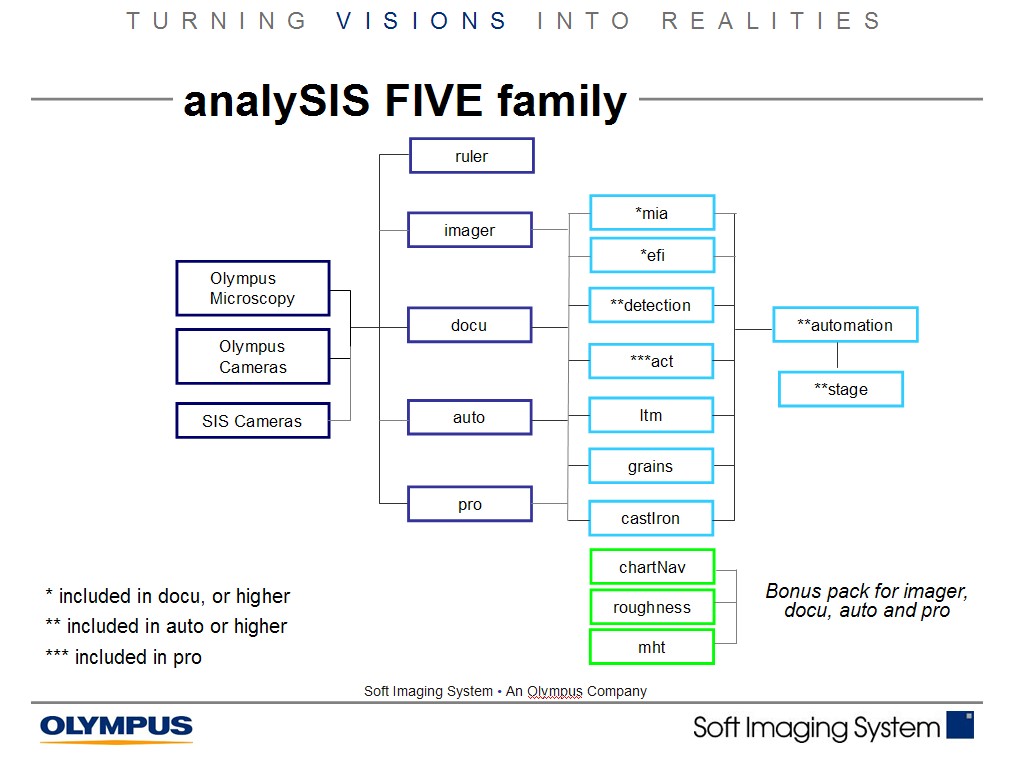
주로 금속, 반도체, 전기, 전자, 자동차과 같은 정밀한 측정을 필요로 하는 산업용 image analyzer인 analySIS five는 다음과 같은 등급으로 구성되어 있고, analySIS five imager 이상의 등급부터 필요한 module을 추가하거나 제품을 upgrade할 수 있습니다.
ruler : analySIS five의 가장 처음 등급이지만 강력한 측정 기능을 제공합니다.
imager : analySIS five의 두번째 등급으로서 ruler의 모든 기능과 data base, report 기능이 추가 되었습니다. 또한 imager 이상의 등급부터 필요한 module을 추가하거나 제품을 upgrade할 수 있습니다.
docu : analySIS five의 세번쩨 등급으로서 imger의 모든 기능과 Multiple Image Alignment (Mia), Extended Focal Imaging (efi), Graph 기능을 제공합니다.
auto : analySIS five의 네번째 등급으로서 docu의 모든 기능과 Particle analysis(detection:입도분석), Automater / Stage control의 기능을 제공합니다.
pro : analySIS five의 최고 등급으로서 auto의 모든 기능과 fft (fast fourier transformation), imaging C, act (automatic caliper tool), interCept 등의 기능을 제공합니다.
OLYMPUS Soft Imaging System 사의 최신 영상 분석 프로그램인 “analySIS Five” 시리즈는 사용자에게 정확하고 신뢰성 있는 데이터를 얻게 해 줄 것 입니다.
analySIS Five ruler
analySIS Five ruler는 analySIS Five Series의 기초 프로그램으로서, 사용자가 불필요한 기능을 삭제하여, 간단하게 측정을 할 수 있는 프로그램입니다.
Acquisition
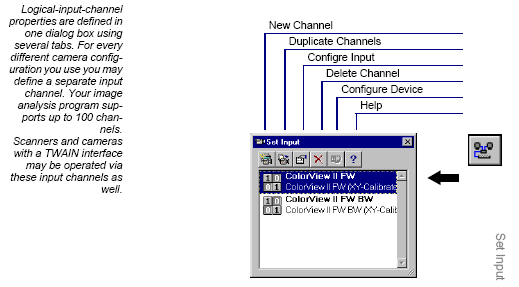
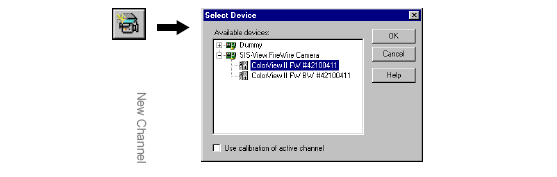
여러 종류의 카메라를 연결 상황에 맞게 카메라를 연결하여 사용할 수 있습니다.
New Channel
카메라에 채널을 두어 화면 캡쳐시 다수의 카메라 속성을 두어 측정 할 수 있습니다.
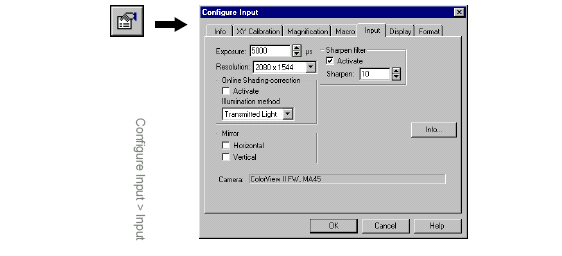
Configure Input
카메라의 속성을 변경합니다.
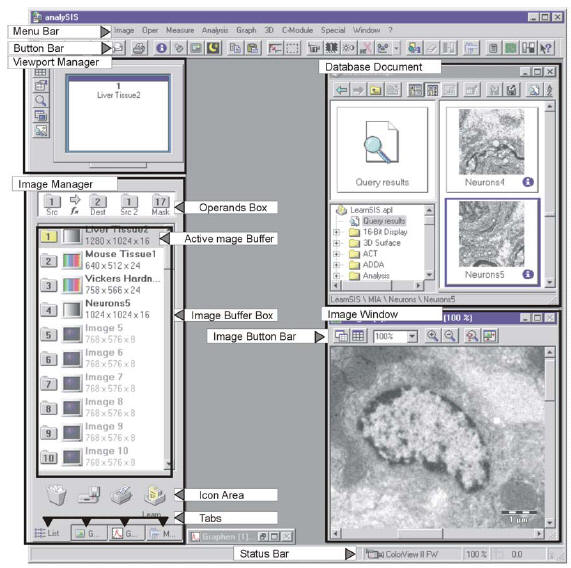
User Interface
전문가를 위한 인터페이스 방식으로 한눈에 알 수 있는 구조입니다
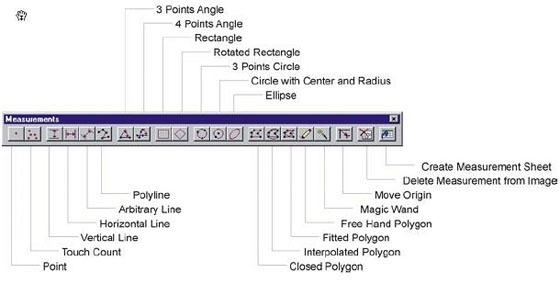
Measure
강력한 Magic Wand 기능을 자랑합니다.
analySIS Five imager
analySIS Five imager는 analySIS Five Series중 analySIS Fiver ruler을 기본으로 몇 가지 기능을 추가한 프로그램입니다. analySIS Five ruler가 꼭 필요한 기본 기능이라면, analySIS Five imager는 레포트 작성기능과 DataBase등의 부가 기능을 지원합니다.
DataBase
기능
defining or editing fields deleting the database defining a database password changing image and document paths changing the standard image format
Data types
Text: letters and numbers up to a maximum of 255 characters. Long: whole numbers, e.g., -10, 0 or 500. Double: whole numbers and fractions, e.g., 1.2 (whether a comma or a period is used for decimal fractions depends on the local settings of your operating system). Date/Time: The permitted date and time formats depend on the local settings of your operating system. Memo: any length texts Yes/No: For fields of this data type there is either the status
Report Generator
기능
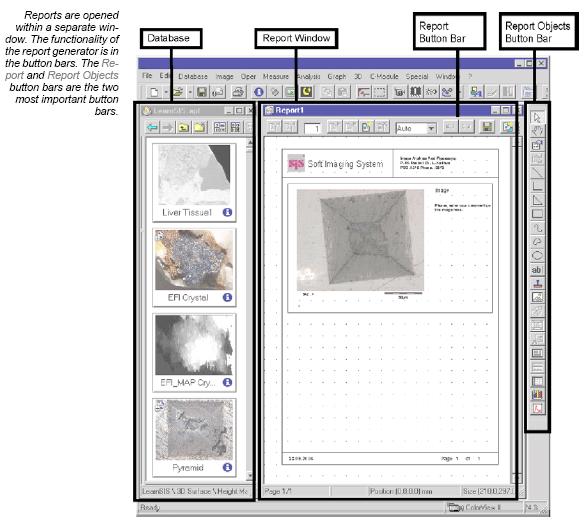
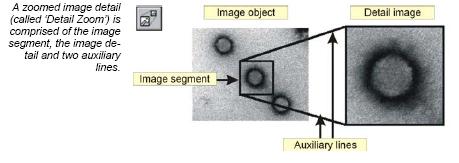
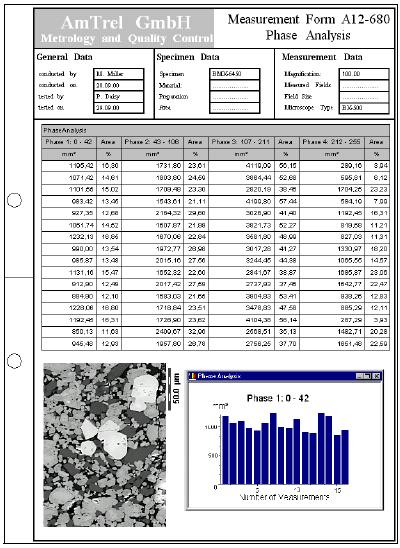
Use report generator to have multi-page reports produced practically automatically, including images of a database or of the image manager. Select a number of, (or lots of) images from an image database and have them all added to a report using a single command. Full database-integrated access Along with the images themselves that you get out of a database, you can have all additional information on the images (contained in database fields of image databases) automatically included in a report. Sheets with important measurement results can also be automatically filled in. Working with images A particular focus of report generator is being able to work with images in an optimal way: norm enlargements are followed; detail zooms can be inserted; appropriate image segments can be selected; and more. Texts, Sheets, Diagrams, Graphs Most types of documents that you generate within your image analysis program can be inserted into a report. Via report generator, you can, e. g., print out images along with related measurement sheets and diagrams on the same page. Flexible Page Layouting Report generator provides you with the most flexible page layouting imaginable: you set up your own template pages exactly the way you want them to be. You generate your template pages only once. These templates are the basis for your reports and ensure that the appearance of your documents is uniform. MS Word compatible Via the RTF Export function, you can have reports exported to MS Word 1:1. This enables you to communicate with fellow colleagues who may not have access to your image analysis program.
예 1)
예 2)
예 3)
analySIS Five docu
analySIS Five docu는 analySIS Five Series중 analySIS Fiver imager를 기본으로 몇 가지 기능을 추가한 프로그램입니다. analySIS Five docu는 다음 분석이 가능합니다.
Dual Screen System
두 개의 모니터를 사용하여 넓은 화면으로 이미지의 분석 효율이 높아집니다.
Graph
그래프 기능으로 레포트에 충실한 자료로 당신의 레포트 질을 높일 수 있습니다.
fis (Fast Image Acquisition)
고속으로 이미지를 획득하여 빠른 변화를 손쉽게 저장할 수 있습니다.
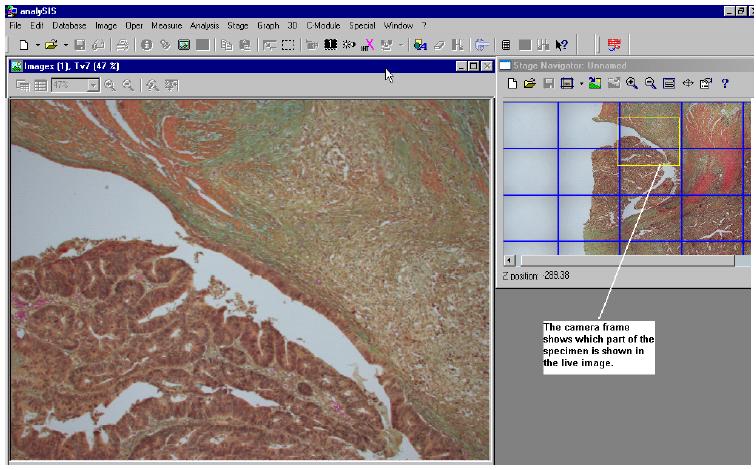
Stage Navigator
Stage Navigator를 이용하여 원하고자 하는 포인트를 지정하여 빠르고, 정확하게 확인 하실 수 있습니다.
With the Stage Navigator you can acquire overview images of a sample and use them for a precise navigation. This assures that you always know your exact location on the sample. You can recognize interesting areas in the sample, move to them in the live-image, and acquire images with a higher magnification. In the overview image, a “grid within a grid,” enables you to recognize the areas you have acquired with a higher magnification. You can deactivate this display if you want to.
MIA (multiple image alignment)
여러장의 사진을 합성하여 넓은 영역을 하나의 파일로 만들어 편리한 관찰이 가능합니다.
Mia works with both monochrome and color images, supports the entire number of file formats in analySIS®, and includes an intelligent image acquisition mode with automatic calibration of the camera and camera and/or image rotation.
Once this has been defined, all you need to do is to make a decision about the required image size and resolution. Stage movement, image acquisition and the computation of the optimum overlap are done automatically by the software.
To effect the image montage, the individual images have to be aligned with sub-pixel accuracy. Mia achieves this through intelligent pattern recognition techniques and plausibility checks within the overlap areas.
The resulting image has the same resolution as the individual images but is larger. It has more lines and columns. It thus represents an image that could not be acquired without Mia with high resolution and large field of view.
How does Mia work?
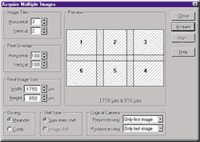
1. The integrated image acquisition control allows the automatic acquisition of individual images; image rotation and stage displacement are automatically determined.
2. This example uses six individual images for the Mia process. There are no limits to the number of images Mia can process in one session. The number of images you actually use is dependent only on the storage capacity of your computer
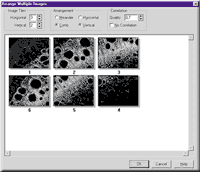
3. After image acquisition, you can manually determine the number, pattern and correlation of the individual images. In the case of automatic image acquisition, these parameters will be preset for you.
4. After Mia has processed the images, the overlap areas can be adjusted automatically for differences in intensity.
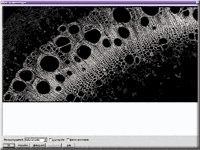
The result of the Mia process:
The end result (reduced to 0.7% of its actual area)
Image size: 2159 x 1062 pixels in 24-bit true color.
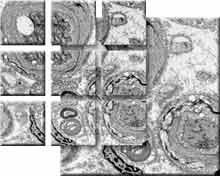
Nine image sections, each 1024 x 1024 pixels in size, automatically stiched together by the module Mia.
The high resolution 3300 x 3300 pixel sized full view image shows healthy and degenerated nerve cells.
EFI (extended focal imaging)
Focal depth 가 다른 이미지를 하나의 이미지로 합성하여 또렷한 이미지를 얻을 수 있습니다.
Microscopy at unlimited depth of focus
By using the efi module, you can solve a known and limiting problem of light microscopy: Microscopes in general have only a very limited depth of focus. Details which are visible in separate images with different focus settings are normally not visible in one single image.
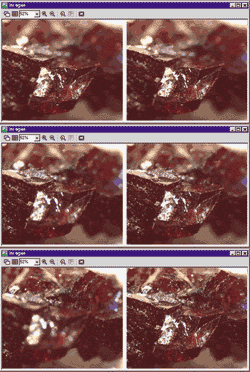
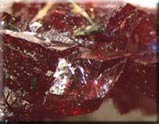
efi records images with different focus settings and extracts those parts of the image that are in focus. Mounted into a single image, these details combine to create an image with unlimited depth of focus.
efi supports the automatic montaging of both color and b/w image series. Optionally, you can reconstruct a height map from these images. Used in live mode, efi provides both a live image as well as the partially reconstructed image. Missing details can be focused interactively and added to the current image.
efi automatically aligns images that show a lateral displacement, such as if the images were taken with a stereo microscope. Anoptional motor stage control provides the added advantage of automatic image acquisition and efi processing.
Live-image and Real-time calculated recombination of image
Reconstructed image
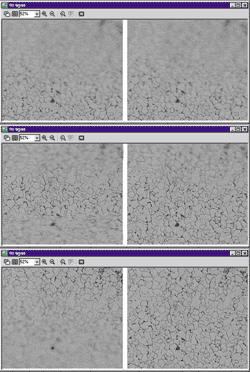
efi circumvents the physical limitations of a microscope regarding its depth of focus. A number of images are recorded, each one with a different focus setting. The parts of each image that are in focus are extracted and combined into a single, focused image.
efi allows the combination of images with lateral displacements caused by different focus settings. This is a common effect when using a stereo microscope to capture the images. Before calculating the efi image, an integrated pre-alignment step shifts the images so that they overlap perfectly. Only after this alignment has been achieved does efi calculate the final image.
efi image surface reconstruction combined with the heightmap
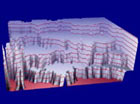
efi provides the option of calculating a height map from individual images. This height map can be used to produce a 3-D representation of the object. As an optional feature, the efi image can be used to texture the height map, creating a realistic topographic representation of the object’s surface.
A number of powerful functions for animating the 3-D structure within analySIS® enable the user to study the object from an optimal angle and position.
Live-image and Real-time calculated recombination of image
Reconstructed image
Recombination of a focus series of a metallurgical sample. The recombined efi image is necessary for conducting advanced analysis.
efi allows the concurrent visualization of the live image directly from the microscope and the current recombined image. Areas that are still unfocused can be added interactively.
A simple addition of more images, even if the original acquisition was finished, allows adding further focused details to the image.
Live-image and Real-time calculated recombination of image
Reconstructed image
analySIS Five auto
analySIS Five auto는 analySIS Five Series중 analySIS Fiver docu를 기본으로 몇 가지 기능을 추가한 프로그램입니다. analySIS Five auto는 강력한 Detection기능을 제공하여 다음 분석에 적합 합니다.
Detection
이미지에서 원하는 영역을 설정하여 자동으로 개체 분석을 합니다.
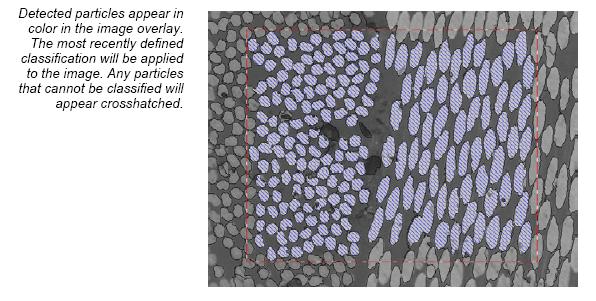
Detection can be applied to an entire image or restricted to areas with a frame or within ROIs. How border particles are treated is something users can decide themselves. The particles detected can then be evaluated according to an extensive array of parameters and then be automatically classified. Logical connection of particle parameters is also supported.
automater / stage
Stage controller 를 이용하여 사용에 편리함을 더합니다.
Our stage drivers support stages from the following manufacturers:
· A+S
· Applied Scientific Instrumentation (ASI)
· Deben
· Fjeld
· Galei
· ITK
· LEO TEM stages
· Linkam
· Ludl
· Märzhäuser
· Micos
· Objective Imaging Ltd.
· Olympus AX70 stage
· Philips CM and XL stages
· PRIOR
· SESAME
· Thermo Nicolet
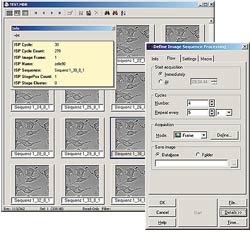
isp (Image Sequence Processing)
Controlling position, sequence and time interval …
In recent years, the investigation, documentation and analysis of living tissue and /or dynamic processes has emerged as an issue of primary importance. One of the core applications, eg, is the investigation of GFP-labeled cells (Green Fluorescence Protein). Multiple labeling of the cells is possible via mutations of the GFP. Light microscopy exploits these technologies using time-lapse and multichannel fluorescence microscopy.
In order for you to be able to acquire and process automatically, a number of processing functions with regard to the microscope are necessary: autofocus; automatic adjustment of the image frame in live observation of GFP-labeled cells (tracking); acquisition of images at different focus positions (z-stacks); and the automatic calculation of an extended focus image based on the z-stacks.
The isp add-in was developed with these requirements in mind. isp controls the entire acquisition process including hardware components such as microscope, cameras and motorized stages. The isp add-in guarantees the exact definition and execution of image acquisition in terms of timing and positioning.
isp and time-lapse image acquisition isp provides the necessary functionality for time-lapse acquisition. Both the number of images, as well as their temporal sequence can be defined. Each sequence can use different cameras or input channel definitions.
isp and a motor stage
If a supported motorized stage is available isp can move to various positions and cycle through image-acquisition sequences. This feature can be used to define multiple positions on a sample where each sequence has its own acquisition parameters, camera settings and techniques, and to cyclically repeat the acquisition for each position according to a user-defined interval.
isp and motorized microscopes isp is completely integrated into the analySIS® software and can communicate with communication-enabled microscopes via a variety of interfaces. This allows isp to control illumination conditions, the filter and objective positions and so on, for each sequence.
isp and macros isp also includes sequential pre- and post-processing steps for controlling external devices such as shutters or monochromators.
isp and animation All image sequences can be stored in a database for later retrieval and analysis. isp includes an animation studio for processing and displaying these sequences. The acquisition times are displayed in the overlay. It is also possible to look at the same sequence in multiple viewports, or to run multiple sequences simultaneously. Sequences can, of course be exported as AVI files.
isp and fluorescence microscopy isp and the mFip analySIS® add-in are fully integrated. This provides options for acquiring and processing sequences that enable you, eg, to combine fluorescence and brightfield images.
isp and process control
isp includes an automatic process control tool. The times necessary for acquisition and processing are shown in a special dialog box which also includes a “test” button for checking and calculating the time required for the sequence. To avoid problems with memory usage during long, unattended processes, isp can estimate the total required space and will give you a warning message should it exceed the space available.
isp complex It is of course possible to combine individual processes and sequences and to set up complex, automated processes ranging from time-lapse and motor-stage-controlled image series and including fluorescence and microscope control.
isp and analySIS® Due to its complete integration into the analySIS® software, the user not only has access to all automatic and manual measurement functions and all image processing features, but also to all add-ins supported by analySIS®. Via the integrated image database, the images (including all available information on imaging conditions) are tracked. A report generator provides everything for preparing professional presentations, which can be e-mailed directly from analySIS® to colleagues or publishers of scientific publications.
wellNav (Well Navigator) Convenient and flexible
The WellNav application supports the simple and fully automatic scan of standardized microtiter plates Integrated calibration routines for offset and slant correction of the microtiter plates together with the integrated motorized stage control guarantee exact alignment and positioning. The software includes an Experiment Manager to easily define complex work processes. These are established just once and then executed via the push of a button. Process series include complete microtiter plates, single wells or even clusters of wells.
analySIS Five pro
analySIS Five pro는 analySIS Five Series중 가장 강력한 기능을 제공하며 다음 분석에 적합합니다.
ACT (Automatic Calliper Tool)
ACT performs complex, repeatedly applied measurement sequences automatically as well as measurements made within images.Any displacement of measurement objects within an image is automatically taken into consideration during measurement.ACT detects edges within images and calculates coordinates, intercept points, angles, radii and distances based on these edges.The geometric elements determined in this way can be linked via further measurement rules.In the learn mode, measurement sequences of varying complexity can thus be defined and saved as profiles.
InterCept
InterCept conducts quantitative image analyses according to the intercept method.Detection of intercept points includes support of edge algorithms as well as segmentation.Multi-phase evaluation is supported. Entire images or user-defined image segments can be analyzed. A large variety of line patterns are available.InterCept offers integrated preview functions for intercept length and related histograms.Results may be classified according to intercept length, distance to reference points and lines.Evaluation and classification can be done using original measurement data or modeled data or done using, for example, the Saltykov method (‘slice model’) or g value.
TrackIT!
TrackIT! analyzes motion.Motion analysis is based on time-lapse series of images (image stacks or exported isp sequences).TrackIT! searches for and detects objects within images of a time-lapse series and then automatically determines the respective difference in location.The software provides motion images of particles, sheets and histograms showing the characteristic motion data such as speed, directional information, track length and distance.In addition, all positions – P (x, y, t) – of each object in motion are available for further analysis.
Imaging C
Imaging C provides users with the C programming language and high-performance image-processing libraries containing more than 8000 commands.Windows API commands and commands from external DLLs are supported.This software extension includes a compiler and a debugger. Programs created using imaging C can be run in analySIS®.
OLYMPUS Soft Imaging Soluitons사는 1987년 설립된 후 2006년 4월 OLYMPUS의 일원이 되어 광학 현미경 및 전자 현미경용 분석 소프트웨어 및 디지털 카메라 제품을 포함한 영상분석의 모든 솔루션 제공하고 있으며 유럽을 중심으로 다양한 분야에 사용되어 전세계의 많은 영상 분석 전문가와 연구진에게 사랑과 신뢰를 받고 있습니다.
analySIS 제품의 경우 고 품질 고 성능의 영상 분석 소프트웨어임에도 비싼 가격으로 인하여 일부의 유저들만이 anlaySIS 제품의 우수성을 접할 수 밖에 없었던 것이 그 동안의 현실이었습니다.
이러한 이유로 기존의 analySIS 제품과 완벽하게 동일한 기능을 갖추면서 한국 시장의 특수성에 대응할 수 있도록 analySIS TS 시리즈를 새롭게 선보이게 되었습니다
금속, 반도체, 전기, 전자, 자동차 같은 정밀한 측정을필요로 하는 분야에 대해서 analySIS TS는 최상의 솔루션이 될 것입니다.
analySIS TS 시리즈는 다음과 같은 제품으로 분류됩니다.
1. analySIS TS Lite
analySIS TS의 Entry 급 영상 분석 소프트웨어 입니다.
강력한 측정 툴과 DataBase 관리 및 무한 초점 보정 (EFI) 및 이미지 타일링 기능 (MIA), 상분율 (Phase analysis) 등의 강력한 기능을 제공합니다.
2. analySIS TS Auto
analySIS TS의 중급 제품으로서 analySIS TS Lite 의 모든 기능에 강력한 자동 입자 분석 기능인 Detection 모듈 이 추가 되었습니다.
analySIS 의 강력한 입자 분석 기능은 80~100여 가지의 측정 항목에 대한 어떠한 분류도 가능케 하여 원하는 데이터를 효과적이면서도 강력하게 분석할 수 있게 합니다.
3. analySIS TS Material
analySIS TS의 최상급 제품으로서 analySIS TS Auto의 모든 기능에 금속 조직 분석을 위한 그레인 분석 (Grain size analySIS), 구상화 주철 분석 (cast Iron), Thickness 분석 (Layer Thickness Measurement) 및 Dendrite arm spacing 분석(DAS) 이 가능한 최상의 금속 조직용 분석 소프트웨어 입니다.
OLYMPUS Soft Imaging System 사가 한국 사용자들을 위하여 선보이는 “analySIS TS” 시리즈는 지금껏 경험 해 보지 못한 새로운 영상 분석에 대한 표준을 제시하여 줄 것 입니다.
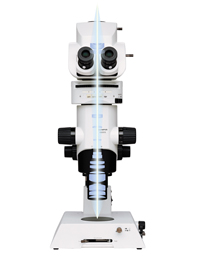
제품 소개 C-elegans, Zebrafish, drosophila, embryo, mouse 등의 형광 실험을 저 배율에서 수행하는 고객에게 최적화 된 장비입니다.
재생산, 개발 용도
gene, protein 등의 기능 분석
MVX10 : 제품명
M : (Macro)
V : (View)
X : (Olympus Optics)
10 : (Zoom ratio)
제품 특징
가장 밝은 Fluorescence Macro Microscope
고품질의 이미지에 중점을 두어 개발된 제품
시료의 물리적 조작이 주업무일 때 = SZX series –Injection 작업을 위한 스테레오 이미지가 중점이 됨
물리적 조작 보다는 이미지 품질 및 시그널 검출이 중요할 때 = MVX10 –형광의 밝기와 해상력이 주요 강점
Spec.: MVX-ZB10
Zoom body
– Type: single zoom”@”iZoom ratio:10) – Zoom magnification: 0.63x – 6.3x –Max. NA(1x Ob): 0.25 (Stereo: 0.125) – AS: Built in – Body mount: Dovetail (same as SZX) – Tube mount: Dovetail same as BX – Objective mount: M65 x 1.5 mm thread – Nosepiece: Screw method (same as SZX) – Body length: 211mm – Zoom click stop: 0.63,0.8,1,1.25,1.6,2,2.5,3.2,4,5,6.3 (possible to release) – Magnification display: zoom magnification (differ from SZX12 and SZX9)
Spec.: MVX-TTRS
uTilting Trinocular head for MVX – Tilting and Trinocular design
» FN: 22 »BI angle: 0- 23 degree » Interpupillary distance: 51 – 76mm » Optical path: 2 position (BI/photo: 100/0 and 0/100) » 3D-effect is available by pupil separation mechanism » Erect Image
– Tube lens » Tube magnification: 1x (tube lens f= 180mm) » Tube mount: Dovetail same as BX » Restriction with regular Trinocular
– TV adaptors » TV adapter: MVX-TV1xC, ,MVX-TV 0.63xC ( exclusive use) » No compatibility with UIS2 adaptors
– Internal magnification changer MVX-CA2X » Detachable into MVX-TTRS
– Eyepiece: Use WHN series » Diopter scale adjustment: none (with the eyepiece)
Spec.: MVX-RFA
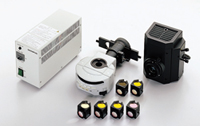
Coaxial fluorescence illuminator – Filter change: 4 position turret
3 mirror unit position + Blight field position Mirror units: XL type (See next page) – FS: Built-in, AS: none – Slider : open/2filter position
32ND filters pocket – Lamp house mount: Same as BX system Lamp house : 100W Mercury/75W Xenon – Tube mount: Dovetail same as BX
Excitation
Emission
Comment
U-MGFP/XL
460-490
510-
Exist product for GFP/Long path
U-MGFPA/XL
460-490
510-550
Exist product for GFP/Band path
U-MCFPHQ/XL
425-445
460-510
New product for CFP/Band path
U-MCFPHQ/XL
460-480
495-540
New product for GFP/Band path
U-MYFPHQ/XL
490-500
515-560
New product for YFP/Band path
U-MRFPHQ/XL
535-555
570-625
New product for DsRED/Band path
Spec.: Objective lens
Spec.: Objective lens
MVX exclusive PF (Per-focal) objectives
Per-focal length: 137mm Mount: M65 x 1.5 mm thread End part external diameter: 60mm (Same as SZX)”iwith out MVPLAPO2XC”j The MVPLAPO2XC equips with optical correction mechanism for live cell in the water Two place nosepiece available : MVX-2RE
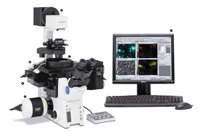
ZDC-IMAGE : 장시간의 Time Lapse 실험시 초점흐름 없는 일관된 이미지를 얻게하는 시스템입니다.
연구자들의 요청에 부흥코저 저희 Olympus에서는 장시간 동안 실시되는 Time lapse 실험 동안에도 초점의 흐름 없이 최적화된 결과물을 얻을 수 있게 하기 위한 System을 개발해 왔습니다. 현미경의 각 구성품에 대한 철저한 연구와 많은 개선 사항의 보완에 따라 저희는 ZDC-IMAGE를 소개해 드리고저 합니다. 특별한 작업을 위해 특수하게 고안된 이 진보된 System은 사용하시는 분으로 하여금 몇 시간이 넘는 Time Lapse 실험에서도 각 촬영 순간마다 뛰어나고 정확한 이미지를 얻어낼 수 있게끔 합니다.
이 시스템은 Time lapse 실험이 실행되는 동안 각 Image를 얻기 전에 순간적으로 초점을 자동으로 확인합니다. Image상에서 초점을 자동으로 잡는 System들과는 달리 IX81-ZDC는 초점 대상으로서 Glass-Bottom dish를 사용합니다. 이것은 시료의 조건이나 크기에 구애 받지 않는 초점 보상을 가능하게 합니다. 약한 IR laser가 초점 보상을 위해 사용되기에 여기광에 노출된 Cell이 손상되는 위험성이 없습니다.
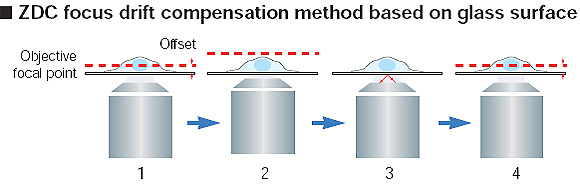
유리표면을 기반으로 한 ZDC의 초점 흐름 보상 원리
1. 관찰 위치를 “Offset”으로 설정 2. 설정된 Time lapse 시간이 흐른 뒤 관찰 지점으로부터 대물렌즈의 초점위치가 흐트러짐 3. Image acquisition을 수행하기 전에 IR-laser가 유리표면을 탐지 4. 초기의 Offset 위치로 되돌려 줌으로서 초점 흐름 보상이 됨. 0.8초안에 모든 과정이 이루어짐
이 역사적인 현미경 모델은 어떤 위치라도 쉽게 초점을 설정할 수 있습니다. 약한 Laser (785nm) 장치가 Tube 렌즈와 대물렌즈 사이의 추가적인 Optical path로 부착되어 대물렌즈와 반사면 사이의 거리를 측정합니다. 보통 이 거리는 Cover glass와 Cell 사이의 경계의 반사율 차이로 측정됩니다. 그러므로 시료의 불필요한 Photobleaching을 야기하지 않습니다.
고정밀의 Motorized stage Time lapse 실험 동안에도 일관된 초점을 잡아낸다.
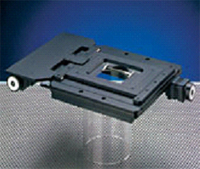
이 Motorized stage는 정밀도를 기반으로 사용자가 설정한 위치로 되돌릴 수 있기 때문에 35mm glass bottom dish를 사용하는 Multi-point time-lapse photography를 수행할 수 있습니다. 이는 다양한 Cell을 상대로 하는 작업이나 기대반응을 일으키는 Cell 개체 검출 실험의 효율성을 극대화 시킵니다. Stage는 소프트웨어로 조작되며 부착된 Joystick을 사용하여 부드럽게 이동시킬 수도 있습니다.
Z series를 이용한 Multi-point time-lapse image illustration 5-D(X,Y,Z,T and multi-point) imaging
cell의 높이와 크기에 따라 각 Point별로 Offset위치를 설정할 수 있습니다. 또한 기준이 되는 Offset위치의 위아래로도 여러 장의 Image를 얻어낼 수가 있습니다 : 이러한 경우 동일한 시간 간격마다 각 Point에 대한 동일한 수의 Image를 얻어낼 수 있습니다.
MIU-IBC-IF/I: CO2 incubator
오랜시간 동안에도 cell의 활성을 유지시켜준다.
이 Incubator dish안의 환경은 극도로 정밀하고 안정된 메카니즘을 통하여 37℃의 온도,90%의 습도,5%의 CO2농도(5%의 CO2 bomb사용시)로 유지됩니다. 이를 통하여 Cell의 활성은 2일까지도 유지 될 수 있습니다. *MIU-IBoIF/I은 Motorized stage(H117)와는 연동 되지 않습니다 ; 이 경우 INU-ZIL(CO2 incubator)이 사용됩니다.
열에 의한 변형 방지 구조
열로 기인한 변형에 따른 초점 흐름을 최소화하는 특수 구조로 제작되었기에,Time-Lapse 관찰에 적합합니다.
주입이 가능하다.
상부 발열판의 구멍을 통해 주사기를 이용한 세포 조작 실험이 가능합니다.
깨끗한 투과광 검경
내부에 습기가 차 있더라도 Incubator내부에 응축되지 않습니다. 또한 상부 발열판이 유리로 만들어져 있기에 위상차와 미분간섭 관찰에 아무런 간섭을 주지 않습니다.
DP30BW: 고감도의 Cooled CCD camera
Living cell imaging을 위해 개발된 무진동,고감도의 cooled CCD camera
Peltier 냉각장치를 사용한 DP30BW는 무진동ㆍ무소음의 조작환경을 제공합니다. shutter와 새로운 노이즈 감소기능과 결합되어 미약한 형광 까지 고품질로 잡아낼 수 있습니다.
희미한 형광까지 깨끗하게 관찰할 수 있다.
단색CCD와 고성능의 증폭기가 결합되어 고감도를 실현합니다. Image는 3종류의 감도조절(Normal,NIR-M,NIR-H)을 통해,가시광에서부터 적외선에 이르는 넓은 파장대에 걸쳐 최적화 됩니다(63%~70%사이의 Quantum efficiency조절). NIR-M과 NIR-H설정의 경우 Cy7 형광인자와 같이 관찰하기 어려운 긴 파장의 빛을 관찰할 수 있게 합니다.
새로운 노이즈 제거 기술
DP30BW의 탁월한 노이즈 제거 능력은 진보된 Peltier 냉각기술과 광전자 전송 회로에 의해 얻어집니다. 추가적으로,긴 노출시간 동안 발생하는 노이즈는 Olympus의 독자적인 Background substraction 기능에 의해 제거 됩니다.
냉각팬이 없는 Peltier cooling system은 조작의 안정성을 더해준다.
팬이 없는 냉각장치를 도입한 DP30BW는 Camera의 진동(또는 관련된 노이즈)로 부터 안전한 조작 환경을 제공합니다.
Shutter
Shutter는 time-lapse 실험에서 매우 중요한 역할을 합니다. 이 장치는 투과/반사 조명장치와 현미경본체 사이에 위치하며,시료의 fade-out현상을 최소화 시키는 것도 software를 사용한 조작이 가능합니다. 사용자의 목적에 따라 IX2-SHA 또는 Uniblitz shutter를 사용할 수 있습니다.
Motorized shutter/ IX2-SHA
투과광 또는 여기광의 광로에 설치할 수 있습니다.
UNIBLITZ shutter
투과광 또는 여기광의 광로에 설치할 수 있습니다.
MetaMorpph Imaging System: Image 획득 및 처리 소프트웨어 ZDC-Image Control
MetaMorpph Imaging System은 Software와 Hardware를 다재다능하고 강력하게 결합시킴으로써 Digital CCD camera로부터 영상을 얻고 분석하는 일련의 과정을 자동화 시킬 수 있습니다. 이 소프트웨어는 Microscope, Filter wheel, Shutter, Cooled CCD camera, Video camera, Monochromator, Focus motor와 Piezo electric focus device,Motorized stage, Digital & serial input/output,그리고 Robotic device들을 포함한 광범위한 기기들에 대해 최고의 조작성을 제공합니다.
Multi-dimensional image acquisition
이 소프트웨어는 Time-lapse 실험의 Photographing작업에 대해 최고의 편의성을 제공합니다. Time Lapse, multiple stage position 그리고 Z Position들을 Function 메뉴에서 독립적으로 선택할 수 있기에 이를 이용한 어떠한 조합의 Image acquisition도 가능하게 합니다.
Multi-dimensional data review
이 기능은 Data를 하드디스크에 저장하고 모니터상에 표현하는 것에 효율성을 부여합니다. Two-Dimensional data(X, Y), Focus plane data(Z), Wavelength data(λ), Time data(T) 그리고 Stage position data(P)들을 선택에 따라 다양한 조합으로 표현 할 수 있습니다.
ㆍ 목적에 대응하는 조명 방법,관찰 방법,배율의 선택이 가능하고,다양한 측정방법에도 사용가능합니다.
ㆍ높이 측정에서의 고르지 않은 상태를 최소한으로 하는 포커스 센서를 준비.높이·깊이 측정을 효율 좋게 측정 할 수 있습니다.
ㆍ interface unit을 사용하여 퍼스널 컴퓨터에서의 측정 데이터의 보존,관리가 가능합니다
ㆍ 텔레비전 카메라,사진 촬영 장치를 option로 준비
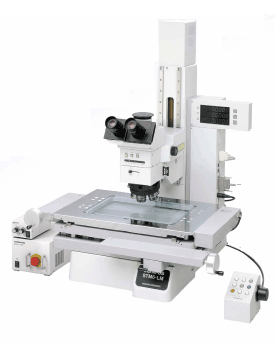
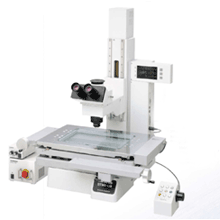
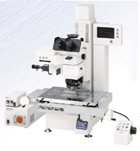
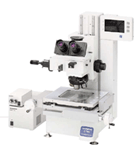
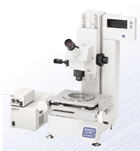
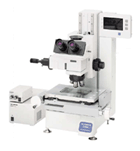
STM6-LM/STM6
신뢰성 있는 Line-UP. 다양한 ACC’S로 모든 측정 요구에 대응가능
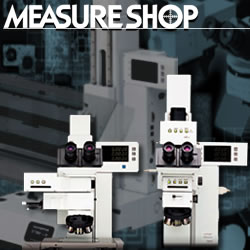
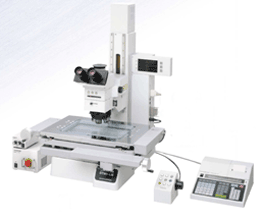
최첨단 System 성능을 갖춘 MEASURE SHOP. 신기술을 적용한 고정밀도 현미경으로서 고정밀도, 내구성은 기본이며 성능,측정요구까지도 다종다양하게 대응할 수 있는 제품력을 갖추었습니다. 대형시료에서의 빠른 검사를 실현한 STM6-LM. Class 최소의 Body로 고정밀도의 능력을 발휘하는 STM6. 풍부한 ACC’S를 통해 유저에게 최적 시스템을 제공 할 수 있습니다. 전동 Focus의 세계 최초 도입, 이상적인 UIS2 광학계, Counter 일체의 고강도 Body의 채택 등 실제적인 다양함으로 모든 측정요구에 충족하는 MEASURE SHOP. 첨단의 기능과 장비를 탑재한 측정현미경의 등장입니다.
ㆍ 높은 정밀도와 내구성을 실현하기 위한 흔들림 없는 기술력과 엄격한 traceability.
ㆍ 조작의 편리함을 Concept으로 사용하기 편리한 기능과 확장성을 철저히 추구.
ㆍ 전동 Focus를 표준 탑재하고, 대형시료를 고정밀도로 빠르게 측정
ㆍ Foot-Print에 뛰어난 소형, 고기능설계. 다채로운 조합을 실현
ㆍ 미소 영역과 단차가 있는 모든 시료를 순식간에 focusing
ㆍ MM6-CAL22 :Compact한 Body에 다채로운 연산기능을 탑재
Special Features : Reliability
높은 정밀도와 내구성을 실현할 수 있는 우수한 기술력과 엄격한 Traceability ■ 빈틈 없는 설계력,고도의 기술력이 품질향상과 Process개선에 공헌
ㆍ경년변화에 강한 고강성 Body & Stage 오랜 기간동안 이루어진 측정현미경에의 대한 전념과 고객과의 대화를 통해 배양된 Know-how, 기술력의 모든 것을 투입한 MEASURE SHOP. 정밀도, 강성을 기본으로 측정기로서 가장 중요한 정밀도를 오랜기간 유지하기위해 경년변화에 강한 고강선 Body와 Stage를 개발하였습니다. Guide-way에는 우수한 진직도(Straitness)를 얻을 수 있는 Linear guide방식을 채용했고 독자적인 Scale을 내장하여 높은 신뢰성에 중점을 두었습니다.
ㆍLinear Scale이 Sub-micron을 실현합니다. Scale의 정밀도는 측정현미경의 정밀도를 좌우하는 중요 포인트로 OLYMPUS에서는 독자적으로 개발한 고정도 광학식 LinearScale에서 얻어진 광정보를 전기적으로 처리하여 측정합니다. Scale 내장위치도 Abbe의 정리(측정해야 하는 길이와 Scale이 그 측정방향에 일직선으로 배열된 위치가 가장 오차가 없다)에 근거하여 오차를 최소로 하였습니다.
■ 국제규격의 Traceability체계가 고품질을 보증 또한 치밀한 After Service로 제공
ㆍ고품질을 보증하는 엄격한 제조공정. 고정밀도 추구를 위하여 제조에서 조립에 이르기까지 일본 내 제1급환경level에서 정비. 최상급의 항온공장에서 엄선한 소재를 가공하고 숙련자의 손을 통해 한대 한대 소중한 제품으로서 마무리를 합니다. 또 OLYMPUS의 측정현미경은 부품 하나에서 완성품에 이르기까지 엄격한 Traceability를 기본으로 관리되어지고 있습니다.
Special Features : LED 조명
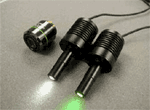
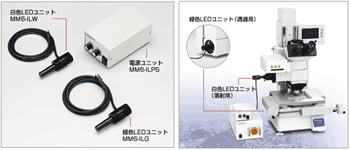
▶ 반사, 투과 조명용의 밝고 깨끗한 LED조명장치 [MM6-IL]시리즈
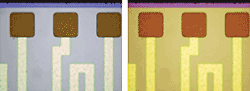
ㆍ보다 밝고 깨끗한 상으로 관찰효율이 UP 투과, 반사용 LED조명 유닛은 할로겐의 황색보다 자연광에 가까운 백색 LED를 채용했습니다. 관찰상이 밝고 깨끗하여, 시료의 색을 충실히 재현하며, 밝기를 바꿔도 색이 변하지 않고 LED조명은 형광등처럼 변동이 없기 때문에 장시간 작업으로 인한 눈의 피로를 경감시켜줍니다.
ㆍ긴 수명, 낮은 소비전력으로 소비량을 삭감
ㆍ정숙, 저 발열에 의한 측정신뢰성의 향상
ㆍ보다 작은 스페이스의 실현
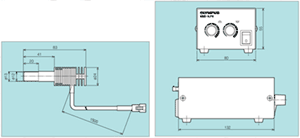
ㆍMM6-IL dimensions
언제라도 최상의 상태를 유지하도록 정기정검제도 service를 실시
OLYMPUS는 계약에 맞추어 일정기간 내의 정기점검을 실시합니다. 연1회 정기점검과 연2회 정기점검이 가능하고 계약기간 및 점검회수는 상담에 따름니다. 또 고객의 상황에 맞추어 수시점검도 시행하고 있습니다.
<점검범위> 점검보고서에 따라서 기능점검과 정밀도 점검을 실시하여 장치의 상태를 평가하는 것을 기본으로 하고 있습니다. 부품교환이 불필요한 수리에 대하여는 그 장소에서 바로 점검이 가능합니다. 또 점검의 결과 별도 수리가 필요한 경우에는 상담을 바랍니다.
<점검내용> ● 정밀도 점검, 교정의 실시 ● 기능 Check ● 윤활유 교환, 가벼운 수리 및 간단한 조정 ● 광학계의 점검과 청소 ● 외관청소 ● 점검보고서, 검사성적표의 발행
사람에게 편안함을 주제로 간편한 사용기능과 확장성을 철저 추구 ■ 장시간의 측정에서도 피곤하지 않도록 사용자를 위한 이상적 설계
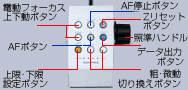
ㆍZ축 측정을 빠르게 행할 수 있는 전동 Focus (STM6-LM,STM6 전동type)핀트 조정과 높이 및 깊이의 측정시 조작성을 대폭 향상시킨 전동Focus를 Olympus가 처음으로 채택. 조동과 4단계의 미동(800,400,200,50㎛)변환을 간단하게 Z축 조작 Box에서 조작 가능하게 하여 작업시의 피로가 대폭 경감됩니다.
ㆍ보기쉬운 이상적인 위치에 부착된 Counter 현미경 본체와 일체화된 표시부가 관찰위치와 거의 동일선상에 위치하여 작은 시선의 이동만으로 측정치의 확인을 할 수 있어 관찰,위치 맞춤에만 전념 할 수 있습니다.
ㆍEdge 관찰, 외관 Check에 뛰어난 UIS광학계를 채용 UIS광학계가 실현하는 우수한 고해상력과 Contrast에 의한 Edge의 상을 통해 측정, 외관검사의 비약적인 향상을 도모합니다.
ㆍ인간의 눈의 분해능을 고려한 Raticle에서 간단한 위치 맞춤. 측정현미경에서는 측정물과 Raticle을 정확히 맞추는 것이 중요합니다. 직선을 맞추는 것은 하나의 선으로 행하는 것보다 Raticle및 파선이 있는 쪽을 정확이 행하는 것이 더 정확한 Data를 얻을 수 있습니다. 이러한 인간의 눈의 특성과 분해능을 분석하고 초점판에 Raticle과 파선을 넣어서 맞춤 정밀도를 향상시킵니다.
Special Features
STM6-LM
■ 전동 Focus를 기본장착하고, 대형시료를 고정밀도로 빠르게 측정
ㆍ전동 Focus 채용에 의하여 Z축 측정시의 피로를 대폭 경감
전동 Focus를 기본장착하였고 손쉬은 조작Box로 핀트조정을 행하기 때문에 지금까지의 무리한 자세에서의 Z축Handle 조작은 필요없습니다.
ㆍ효율적인 공간 활용, 일체형Body(전계장비)。 본체에 전기장치 System을 내장한 Counter일체형 Body에 Data통신 Interface부분에 RS232C를 내장하여 컴퓨터와의 자료 전송과 Printer 등의 외부기기와의 접속이 더욱 용이하게 되었습니다. 더욱이 컴퓨터에 부착된 Data는 MicroSoft Excel등으로 Database화가 가능합니다.
ㆍ광범위를 일시에 빠르게 검사할수 있는 클러치 타입의 대형스테이지
250㎜×150㎜ 의 큰 측정범위를 갖는 Stage를 탑재. X.Y 구동 각각에 Clutch free기구를 장비, 레버 하나로 조동미동을 빠르게 변환이 가능합니다. X line위와 Y line위, XY 평면상의 자유자재로운 Stage운송이 가능하게 되어 대형시료에서의 빠른 검사를 실현하였습니다. 또 Stage위에 동시에 다수의 시료를 놓고 측정하는 것도 가능합니다.
STM6
■ Foot Pinter에 우수한 소형화, 고기능화적인 설계.선택가능한 Body, Stage등 다양한 조합을 실현
ㆍ설치장소에 관계없는 적은 공간을 차지하는 Body (W)295㎜×(D)429.4㎜의 Compact한 Body에 다채로운 기능을 집약함으로 이 class에서 최소설계를 실현하였습니다.
ㆍ용도에 맞춘 4 Type, 충실한 Line-Up 0.1㎛ 검출의 전동 3축 type, 매뉴얼3축type에는 0.1㎛ 검출과 0.5㎛ 검출용을 준비. 또한 매뉴얼 2축 type의 0.5㎛의 검출용이 있습니다.
Special Features : Auto Focus
미세한 영역과 단차가 있는 시료를 고정밀도로 빠른 시간에 Focusing ■ 개인차에 의한 오차를 없앤 고정밀도 측정과 빠른 검사를 실현
ㆍ간단히 Add-on 가능한 Auto Focusing Unit STM6 series에서는 one-shot와 trace기능을 추가하여 Assist의 3Mode를 탑재. 섬세한 조작이 요구되어지는 목시에 의한 높이 깊이의 측정을 모드의 구분 사용에 의하여 자동화가 가능합니다. 개인차에 의한 오차의 발생이 없는 동시에 X,Y Handle에서 손을 이동하지 않고 관찰할 수 있는 등 Z축측정의 효율을 대폭 향상시켰습니다. 그리고 중간경통 type이므로 용이하게 Add-on이 가능합니다. [원리도]
1.one shot 거친 핀트 상태에서 Auto-Focus 실행으로 시야중심에 신속하게 핀트를 맞춘다.
2.Trace 초점이 맞는 위치를 추적하면서 항상 핀트가 일치한 상태를 유지한다. X,Y축 측정시의 핀트 맞춤이 불필요하기 때문에 작업효율이 한단계 향상됩니다.
3.Assist 측정하는 시료면이 Trace범위를 벗어난 경우, Auto Focus가 대기 상태가 됩니다. 전동 focus에서 대물렌즈를 상하로 움직여 다시 Trace범위에 넣은 시점에서 Auto focus가 작동하고 초점위치가 정지합니다.
ㆍ고배율 대물렌즈에서 1㎛의 높은 재현성 반사 Active?공초점 방식을 채택함으로 시료의 경사?표면의 거친 정도에 대하여도 안정된 초점을 실현. LMPlan100× 대물렌즈에서 1㎛의 재현성을 가능하게 하였습니다.
대물렌즈
재현성(2σn-1)
LMPlan20×
2㎛
LMPlan50×
1㎛
LMPlan100×
1㎛
*당사기준 샘플에 의한 수치입니다.
ㆍ미소영역에서도 Auto-Focus가 가능 Laser의 Spot지름이 50x,100x 대물렌즈 사용시 φ1㎛를 실현. 미소영역의 Z축 측정이 가능하게 되었습니다. Bonding Wire등에서도 대응 가능합니다.
대물렌즈
Spot지름
LMPlan20×
φ2.5㎛
LMPlan50×
φ1㎛
LMPlan100×
φ1㎛
*계산에 의한 이론치입니다.
Options
■ 효율적인 측정을 위해 필요한 기능을 선택, 추가할 수 있는 다양한 ACC’S를 준비
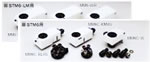
ㆍ고배율에서의 검사와 미분간섭관찰하에서의 측정 다양한 측정영역에 대응하기 위하여 반사조명 장비를 STM6-LM, STM6에 각각 3종류씩 준비하였습니다. 측정대물렌즈와 Revolver을 이용하여 금속대물렌즈에 대응하고 명시야,암시야, 미분간섭관찰까지 가능. 용도에 따른 장비 추가로 System Up-grade가 가능합니다.
ㆍ측정효율을 비약적으로 높인 Add-on 가능한 장비 준비 높이,깊이 측정을 자동화 하는 Auto-Focusing Unit과 시료의 Edge를 자동검출하는 투과Edge Sensor Unit을 준비. 측정시간 단축 및 피로를 경감할 수 있고, 측정효율을 대폭 향상하였습니다.
ㆍ투과Edge Sensor 시료의 Edge를 자동검출하는 Edge Sensor Unit을 용이하게 추가할 수 있습니다.시료의 Edge를 Sensor부에 통과시키는 것만으로 Edge를 검출할 수 있어 개인차에 의한 오차를 해소함으로, 목시 측정에 비교하여 재현성이 향상됩니다. 정확하고 안정된 Data를 얻을 수 있고 측정시간도 대폭 단축이 가능합니다.
ㆍMM6-RHS250,MM6C-RHS100/ RESET SWITCH
XY counter값의 Reset을 적은 동작으로 할 수 있습니다.
ㆍMM6-RK01/Remote cube Unit
XYZ counter Reset, Data 출력과 1/2 counter의 변환을 적은 동작으로 할 수 있습니다.
ㆍMMFS01/Foot Switch
Printer, 2차원 data처리장치등에서의 Data 전송을 Hand-free로 할 수 있습니다.
ㆍMM6-EMO/정립단안 경통
정립상의 단안경통입니다. Cross line이 있는 접안렌즈 MM6-OCC10×과의 조합으로 사용하는 것이 가능합니다.
ㆍSZ-FLR/형광등 조명 장치
Ring 형광조명등에 의해 그림자와 번짐이 없는 조명이 가능합니다.(별도 Adapter가 필요합니다)
ㆍLG-R66/Ring Light Guide
관찰에 불필요한 표본의 그림자를 차단하여,밝고 깨끗한 관찰상을 얻을 수 있습니다.(별도 Adapter가 필요합니다.)
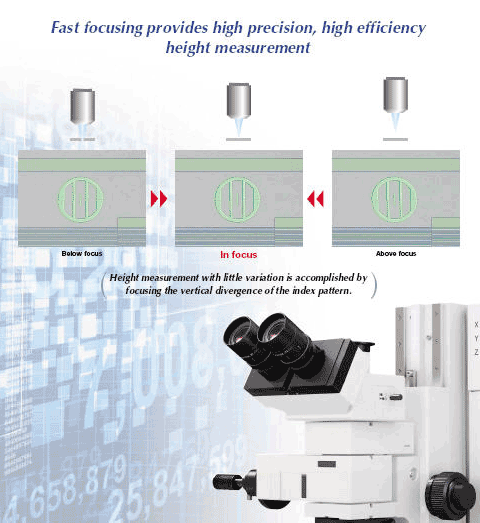
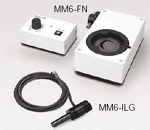
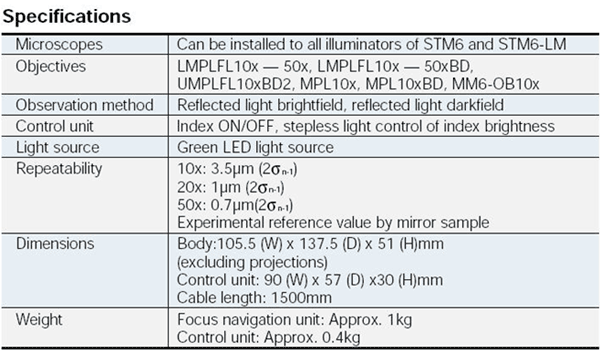
MM6-FN
제품의 특징
FN지표에 따라 간단하게 초점을 맞출 수 있으며 개인차에 따른 측정오차를 최소화하고, 단차 측정시간을 단축
Arm일체형 투광관의 채택으로 시스템구축 및 장치조합의 자유도가 더욱더 향상되었습니다. 반사투과조명에 대응한 BX51-type. 반사조명전용에 대응한 BX51M-type을 준비하였습니다. 또 BX-URA2(Universal반사투광관)과의 조합에 의한 형광관찰도 가능합니다.
IR관찰에 대응
BX51/BX51M-IR
현미경 본체와 반사투광관은 그대로 근적외선 대응의 Unit을 조합하는 것 만으로, 반사투과의 근자외선관찰이 가능합니다. 실리콘 웨이퍼 내부와 패키지 후면내부, CSP bump등의 관찰을 가능하게 하는 근적외선현미경으로서 사용이 가능합니다. BXFM system과 조합하는 것이 가능합니다. 근적외선관찰에 대응
가시영역에서 근적외 영역까지의 수차보정된 5X ~ 100X의 IR대물렌즈를 갖추고 있습니다.
근적외관찰을 용이하게 하는 직통을 장치에 통합시겼습니다.
반사투과본체와의 조합으로 투과광 근적외선 관찰에도 대응가능합니다.
Motorized 대응
BX61
Focusing, 조광, 반사투과변환 등이 전동화된 BX61을 준비하였습니다. Control Software로 일련의 현미경 조작을 Macro화하고, Key-pad나 Computer및 팜톱 단말기에서 제어가능합니다.
관찰법 및 대물렌즈의 배율과 연동한 조광과 각종 광학소자의 삽탈 등, 관찰에 동반되는 광학조정을 세밀 하게 설정하는 것이 가능합니다. 번잡한 일련의 조작을 Macro화하여, 현미경 본체에 장비된 버튼(focus, 조광 등 모두 9개소)과 핸드스위치, computer의 key-pad등에 할당하고 보턴 하나로 관찰조건을 재현할 수 있습니다.
고속, 고내구성 전동 Revoler, Motorized coaxial Revolver,전동 명시야 투광관, 전동 Universal 투광관,반사 Auto Focus Unit, Filter wheel등의 각종 전동 Module을 준비하였습니다.이러한 전동 Module은 바로 옆의 핸드스위치와 Computer에서 제어가능합니다.
모든 대물렌즈에서 완전한 동심을 얻을수 있는 (Motorized coaxial Quintple Revolver) U-P5REMC를 준비하였습니다.
System구축 및 장치조합의 자유도를 향상시킨 Arm일체형 반사투광관 철저한 인체공학의 추구에서 만들어진 Y형디자인에서 더 나아가 Arm 일체형 반사투광관이라고하는 새로운 개념으로, 지금까지 없던 System의 자유도와 장치간의 조합을 용이하게 실현시켰습니다. UIS2 무한보정광학계의 최고급상이 공업분야의 다양한 검사 요구에 고해상으로 대응합니다.
가시영역에서 근적외영역까지의 폭넓은 관찰 가능
ESD대응
전동대응
장치조합가능
Special Features
ㅁ 세계 최고 품질에 더욱 박차를 가하여 만들어진 UIS2광학SYSTEM.
ㅁ 인체공학적 디자인을 더욱 발전시킨 Y형의 세련된 디자인.
ㅁ 기능성을 추구한 다양한 ACC’S로 각종 검사요구에 정확히 대응.
세계 최고 레벨의 상을 더욱 더 발전시킨 UIS 광학 시스템
명시야에서 형광까지의 모든 관찰법에 대응하는 Universal 대물렌즈 명시야, 암시야 , 미분간섭, 간이편광, 형광관찰에 적용할 수 있는 Universal 대물렌즈 MPLN/MPLNFL-BDP를 준비하였습니다. 모든 관찰법에 있어서 최상의 상을 구현하였습니다.
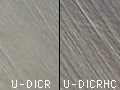
Sample을 최고의 상으로 보여주는 미분간섭 System. 전자장비 검사에 빠질 수 없는 미분간섭 관찰. Sample의 상태에 맞추어 언제라도 최적의 해상도와 Contrast를 얻을수 있도록 되어있습니다. 모든 것에 사용 할 수 있는 U-DICR, 고해상도를 추구하는 U-DICRH, High Contrast를 추구한 U-DICRH 등 3종류의 DIC 프리즘이 준비되어 있고, 모두 Slider방식의 Single prism이므로 연속한 배율에서의 관찰시, 관찰이 용이하고 다른 관찰방법으로 변환이 부드럽습니다.
고배율대응 AS에 의해 저배에서 고배까지 연속적으로 조리개 사용 가능 높은 AS 조리개의 성능을 갖는 명시야 반사 투광관 BX-RLA2를 사용하면, 초고배율관찰에서 불가결하던 종래의 Pin Hole 삽입조작이 없이도 연속적으로 조리개 조정이 가능하여, 초점심도가 깊은 High Contrast 의 관찰상을 얻을 수 있습니다. 또 초고배율에서 작동 거리가 긴 Apocromat 대물렌즈 150x를 준비하여 렌즈 선단이 Sample과 접촉하는 염려를 줄였습니다.
이전보다 2배의 밝기를 실현한 암시야 관찰 명시야 관찰시에 사용하던 DND filter를 폐지하고 더욱더 집광성능을 향상시킴으로, 명시야와의 밝기 밸런스를 유지한 채로 이전보다 약 2배 밝은 암시야 관찰상을 얻을 수 있습니다. 높은 암시야 효과에 의하여 놓치기 쉬운 흠과 먼지도 선명하게 파악할 수 있습니다.
초미세검사에 최적인 Plan Apocormat 대물렌즈 색수차를 철저히 제거한 고해상 대물렌즈 MplanApo/MplanApo-BD를 준비하였습니다. 색의 배어남이 없고 High Contrast인 관찰법을 통해 미세한 선폭도 선명하게 관찰이 가능합니다.
Glass 너머의 관찰을 가능하게 하는 Glass 보정 대물렌즈 LCD기판등 Glass를 통하여 관찰이 가능한 대물 렌즈로 LCPLFLN-LCD20×,50×은 0.7/1.2㎜ 두께의 Glass 보정 Cap방식, LCPLFLN-LCD100×는 0.5/0.7㎜두께의 Glass 보정 Cap 방식입니다.
요철이 큰 Sample관찰에 최적인 Super Working distance렌즈 20 ×에서25㎜ 、50 ×에서18㎜의 큰 작동거리를 구현한 초장(超長) 작동거리 대물렌즈 SLMPLN을 준비하였습니다. JIG상에 설치된 자기헤드의 관찰 등에 위력을 발휘합니다.
모든 Application에 충실한 대물렌즈
인체공학적 디자인을 더욱 진화시킨 Y-Type 의 세련된 디자인
더욱더 compact한 Y-type의 세련된 디자인 현미경 본체의 좌우에 넓은 작업 Space를 확보, 안쪽길이를 더욱 짧게한 Y-type의 세련된 디자인. Lamp house의 형상도 안쪽길이를 억눌러, 좁은장소에서의 설치를 더욱더 용이하게 되었습니다. 주변기기를 현미경의 옆에 놓고 편하게 작업을 할 수 있습니다.
조작부의 이상적인 배치가 장시간 작업에서의 피로를 경감. 피로가 없는 이상적인 외형으로서, 압도적인 지지를 얻고 있는 Y-type의 세련된 디자인이 더욱더 조작성을 향상. 손목을 책상에 놓은채로 조작을 편하게 행할 수 있다. 현미경 조작에 큰 손의 움직임을 필요로 하지 않는다.
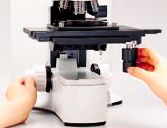
핀트 조정을 편하게 행하고, 좌우 추가부착 가능한 미동핸들 Focusing의 미동핸들을 떼어내어 움직임이 편한 좌우 어느쪽에서도 부착하는 것이 가능합니다. 미동 핸들은 고무로 된 코팅이 되어 있어 손의 끝으로 가볍게 잡아도 미동감도가 높아 고배의 핀트 조정에 있으서도 부드럽게 행할 수 있습니다.
명기야, 암시야의 변환시에 ND filter가 연동 명시야 반사 투광관은 관찰의 변환시에 ND filter가 연동하여 밝기의 급격한 변화에서 관찰자의 눈을 보호합니다. 이 연동기구는 필요시 제거 하는 것도 가능합니다.
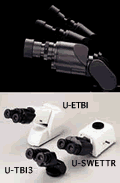
관찰자세를 편안하게 유지시켜주는 경통 Tilting Line-UP 쌍안은 U-TBI 삼안에는 U-SWETTR/MX-SWETTR의 각종 Tilting경통을 준비하였습니다. 목을 무리하게 숙이지 않아도 관찰자의 Eye-Point를 얻을수 있기 때문에 장시간 관찰에서의 부담을 대폭 경감시킬 수 있습니다.
연동하는 Polarizer, Analyzer Slider의 삽탈이 One-Touch 미분간섭에서 명시야 등의 관찰방법의 변환에서 Polarizer/Analyzer Slider를 한번에 삽탈할 수 있어 빠른 관찰변환이 가능하게 되었습니다. 또 Polarizer/Analyzersms 반사투광관의 좌우 어느쪽에서도 Slide in-out 할 수 있게 되어 있습니다.
기능성을 향상시킨 다채로운 ACCESSORIES로 각종 검사 요구에 적합하게 대응
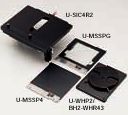
공업용현미경 전용 Stage와 각종 Plate 공업용현미경 전용의 대형 스테이지 U-SIC4R2/U-SIC4L2를 준비하였습니다. 100×100㎜의 Stage-plate U-MSSP4와 4인치/3인치 웨이퍼 홀더 BH2_WHR43을 장착할수 있는 plate U-WHP2, MaskHolder로서도 사용할 수 있는 투과관찰용의 Glass Plate U-MSSPG등이 준비되어 있습니다.
Guide돌출함이 없는 rack-less Stage X축 이동시 예리한 rack기어가 돌출되지 않는, 독자의 Rack-less Stage U-SVRM/U-SVLM을 이용합니다. Stage주위가 항상 여유공간이 확보되어 있어 현미경 조작에 대한 방해가 없습니다. Stage에는 76×50㎜의 Stage plate U-MSSP가 준비되어 있습니다.
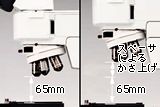
표준사양으로 최대시료높이 65㎜까지 관찰 가능하며 65㎜를 넘는 Sample도 관찰 가능 반사전용 Type의 BX41M/BX51M은 기본적으로 Sample 두께 65㎜까지 관찰 할 수 있고, Arm일체형 반사투광관 채택으로 Spacer등을 사용하면 간단하게 증축을 행하여 65㎜가 넘는 두께의 Sample관찰이 가능하게 됩니다.
Direct로 배율변환이 가능한 전동 Revolver 간단한 핸드스위치 조작으로 직접 원하는 대물렌즈로의 변환이 가능한 전동Revolver U-D6REM과 U-D5BDREM로 관찰효율을 향상시킬 수 있고, Sample에 먼지가 낙하하는 것을 억제할 수 있습니다. 모든 반사 투광관에 부착이 가능합니다.
대물렌즈간에 완전히 같은 중심축을 유지할 수 있는 Revolver 3개의 대물렌즈간에 완전한 동심이 얻어질수 있도록 2개소에 Coaxial 기능을 추가한 Coaxial quintuple BD revolver U-P5BDRE와 Sextuple revolver U-P6RE를 준비하였습니다. 저배율에서 고배율까지 대물렌즈를 변환하여도 상의 중심이 벗어나지 않기 때문에 효율성 있는 검사가 가능합니다.
자외선 차단 등 각종 Filter를 준비 자외선 차단, 색온도 변화, Contrast강조, Yellow등의 각종 Filter-slider를 준비하였습니다.
다양한 조명기기에 대처하기 위하여
모든 반사투광관에 적합한 Fiber조명 Fiber Type 냉광조명을 모든 반사투광관에서 사용할 수 있고 광원에는 12V100W Halogen의 LG-PS2가 있습니다. BX-KMAS용에는 U-LGAD Adapter를 사용하여 주십시오.
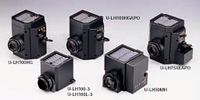
다양한 광원에 적합한 조명 System 수은과 크세논광원에는 가시광에서 근적외광까지의 색수차를 보정한 APO type을 사용하며, 밝고 긴수명, 경제적인 50W의 Metal Halide type도 있습니다. 용도에 맞게 선택하여 주십시오.
간단한 계측을 하기 위하여
치수를 바로 읽을 수 있는 접안이동 측미계 쌍안부에 부착하여 간단하게 치수측정이 가능한 소형,경량의 접안이동측미계 U-OSM. Micrometer에서 Scale을 이동시켜, 측정길이를 대물렌즈의 배율로 나누는 것만으로 정밀한 실치수 측정이 가능합니다.
가시광선 영역에서 반사투과의 폭넓은 관찰에 대응
BX51/BX51M
Arm일체형 투광관의 채택으로 시스템구축 및 장치조합의 자유도가 더욱더 향상되었습니다. 반사투과조명에 대응한 BX51-type. 반사조명전용에 대응한 BX51M-type을 준비하였습니다. 또 BX-URA2(Universal반사투광관)과의 조합에 의한 형광관찰도 가능합니다.
IR 관찰에 대응
BX51/BX51M-IR
현미경 본체와 반사투광관은 그대로 근적외선 대응의 Unit을 조합하는 것 만으로, 반사투과의 근자외선관찰이 가능합니다. 실리콘 웨이퍼 내부와 패키지 후면내부, CSP bump등의 관찰을 가능하게 하는 근적외선현미경으로서 사용이 가능합니다. BXFM system과 조합하는 것이 가능합니다. 근적외선관찰에 대응
가시영역에서 근적외 영역까지의 수차보정된 5X ~ 100X의 IR대물렌즈를 갖추고 있습니다.
근적외관찰을 용이하게 하는 직통을 장치에 통합시켰습니다.
반사투과본체와의 조합으로 투과광 근적외선 관찰에도 대응가능합니다.
ESD 대응
BX41M-ESD
우수한 기본성능을 바탕으로 현미경본체, 반사투광관, Revolving nosepiece의 조작부, 표면 등을 ESD대응으로 만들었습니다. 작업자 및 대기중에 포함된 정전기를 빠르게 방전하고, 정전기로부터 장비를 보호합니다. 작업공간을 배려한 Y-type의 세련된 디자인과 Compact한 Lamp House에 의한 Small space를 구현하였습니다. 또한 신개발품인 LED 광원의 채택으로 100W Halogen에 필적하는 밝기에 긴 수명을 실현하였습니다.
ESD 성능 : 표면저항108Ω이하, 제전(除電)시간0.2sec이하
반사명시야, 간이편광, 미분간섭관찰이 가능합니다.
Motorized 대응
BX61
Focusing, 조광, 반사투과변환 등이 전동화된 BX61을 준비하였습니다. Control Software로 일련의 현미경 조작을 Macro화하고, Key-pad나 Computer및 팜톱 단말기에서 제어가능합니다.
관찰법 및 대물렌즈의 배율과 연동한 조광과 각종 광학소자의 삽탈 등, 관찰에 동반되는 광학조정을 세밀 하게 설정하는 것이 가능합니다. 번잡한 일련의 조작을 Macro화하여, 현미경 본체에 장비된 버튼(focus, 조광 등 모두 9개소)과 핸드스위치, computer의 key-pad등에 할당하고 보턴 하나로 관찰조건을 재현할 수 있습니다.
고속고내구성 전동 Revolver, Motorized Coaxial Revolver,전동명시야 투광관, 전동Universal투광관,반사 Auto Focus Unit, Filter Wheel등의 각종 전동 Module을 준비하였습니다.이러한 전동 Module은 바로 옆의 핸드스위치와 computer에서 제어가능합니다.
모든 대물렌즈에서 완전한 동심을 얻을수 있는 (Motorized coaxial Quintple Revolver) U-P5REMC를 준비하였습니다.
장치편입대응
BXFM-S/BXFM
장치내장에 적합한 소형명시야투광관의 BXFM-S,Arm일체형의 명암시야 및 형광투광관을 부착가능한 BXFM의 2종류를 준비하였습니다. 어느쪽도 Fiber조영과 전동 Revolver, 결상렌즈 Unit등의 조합이 가능한 폭넓은 System으로 장치에의 조합을 간편하게 할 수 있습니다.
BXFM with U-KMAS
장치에의 편입을 용이하게 하는 소형의 Focusing Unit System, Fiber조명, 전종 Revolver, 결상렌즈 등의 각종의 Unit을 준비하였습니다.
OLYMPUS의 무한원보정 광학계 UIS2는 단순히 세계최고 레벨의 상을 실현한 것만이 아닙니다. 경통내에 결상렌즈를 내장한 우수한 광학기술에 의한, 대물렌즈와 결상렌즈의 거리를 변화시켜도 배율의 변화와 상의 열화가 없는 높은 자유도의 광학시스템을 제공합니다. System구축과 장치에의 조합, 개조에 대한 요구에 대응하면서 광학성을 완벽히 끌어내는 것이 가능합니다.
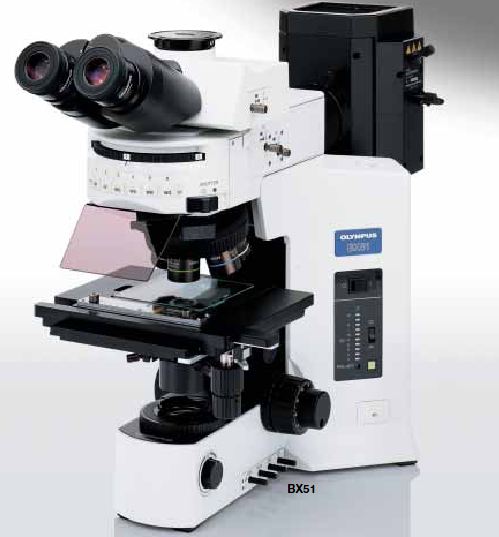
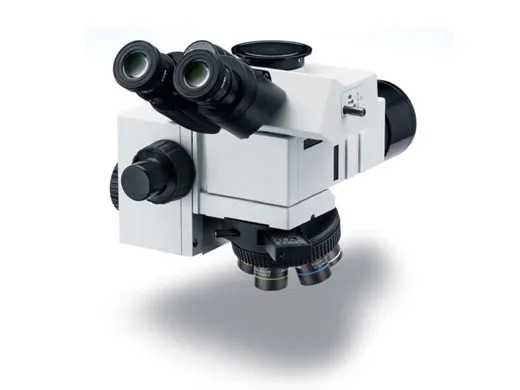
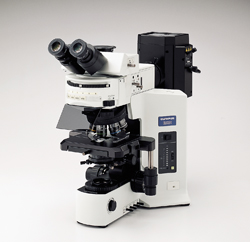
BX51의 효율적이고 견고한 본체는 직관적 인터페이스와 결합되어 사용하기 쉽고 편합니다. 새로운 광학계인 Olympus Infinity Corrected Optical System (UIS2 – universal infinity system)은 넓은 파장의 형광과 깨끗한 DIC (Nomarski)이미지를 함께 구현 할 수 있으며 견고하고 안정적인 Y-shape 본체를 기본으로 다양한 액세서리와 렌즈를 장착할 수 있습니다. 견고한 본체는 유저가 필요로하는 액세서리가 무겁더라도 흔들림 없이 장착 가능하게합니다.
27
밝은 12V/100W halogen 광원은 모든 관찰법에 이상적입니다.
본체에는 두 개의 neutral density filters (ND6, ND25)와 한 개의 daylight balancing filter가 기본으로 장착되어있습니다. 그리고 한 개의 빈 슬롯이 여분으로 남아있어서 다른 필터를 추가하실 수도 있습니다.
프리셋 스위치는 최적의 색온도를 자동으로 설정해줍니다. 이는 사진촬영 시 자연스런 색상을 담아내도록 해줍니다.
BX51의 Y-shape 본체 양쪽 모두 포커스 조절 나사를 가지고 있기에 사용자의 편의성이 극대화됩니다.
모듈화 된 디자인과 무한광학계 시스템은 다른 광학 액세서리들의 사용을 용이하게합니다.
22mm 넓은 Field영역은 이미지 관찰 시간을 단축시켜 줍니다. (옵션사항으로 superwide trinocular와 26.5mm Field영역의 대안렌즈를 이용하실 수 있습니다.)
새롭게 구성된 UIS2 광학계는 보다 밝고/정확하고/고대비의 이미지를 구현 할 수 있습니다.
Dry 또는 Oil top렌즈를 사용하여 1.25X에서 100X 대물렌즈를 사용할 수 있으며, Brightfield, Darkfield, Phase Contrast, DIC, polarization, 그리고 fluorescence등의 다양한 관찰이 가능 합니다.
유연성 있는 형태의 시스템
UIS2 optic system은 어떠한 액세서리를 조합하더라도 이미지 배율 및 품질에 영향을 끼치지 않습니다.
다양한 비디오 장비 및 카메라 장비가 장착 가능하며, BX-URA2 또는 BX-RFA과 같은 형광 장비도 장착할 수 있습니다.
투과/반사 조명을 제공하는 100W 할로겐 램프와 형광실험을 위한 100W 수은램프, 75W의 제논 램프를 사용 하실 수 있습니다.
Modularity & Versatility Meet Growing Research Needs
BX51의 모듈화 디자인은 연구자들의 요구에 부흥코저 개발되었습니다. 이 디자인은 High-end research에 필요한 구성품 장착을 용이하게합니다. 새로운 설계의 6-position cube turret, 7-position nosepiece, 8-position universal condenser와 새로운 수은/제논 광원 장치, 3 종류의 DIC 파트 등이 준비되어 있습니다.
모든 구성품목은 – 제물대, 대안렌즈, 광원장치 등 – 연구자의 목적에 맞게 구성하여 다양한 현미경을 주문/제작할 수 있습니다. UIS2 광학계가 적용되어 기본 이미지 손상없이 다른 액세서리 장비를 쉽게 장착 하실 수 있습니다. Brightfield, Darkfield, Fluorescence 그리고 Nomarski DIC관찰과 같이 다양한 관찰 방법을 렌즈 교환 없이 사용하실 수 있습니다. (U Plan Apochromat 또는 U Plan Fluorite 렌즈).
Economic Comfort
6-position 형광 터렛은 원하는 형광 Dye에 맞는 필터를 장착 하실 수 있습니다. 형광 셔터, 광원 조절, 필터 슬롯 변환을 사용자가 쉽게 조절 할 수 있도록 배치하였습니다.
물리/온도변화에 안정한 형광장치를 이용하여 다양한 형광실험을 할 수 있습니다. 형광램프장치에는 새롭게 개발된 색수차 보정 렌즈가 장착되어 기존 제품보다 2배 밝은 이미지가 구현됩니다. 또한 액세서리인 Excitation balancer를 장착하면 multi-label된 형광 샘플로부터 더욱 깨끗한 이미지를 얻을 수 있습니다.
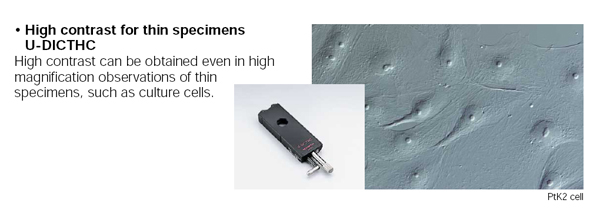
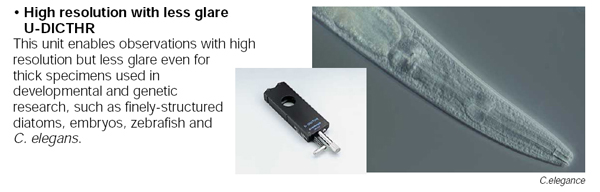
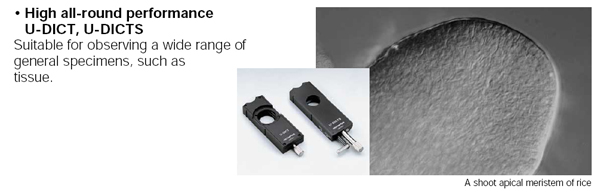
새로운 DIC (Nomarski) unit은 샘플과 배율에 구애받지 않는 해상력을 제공합니다. Standard/Contrast/Resolution의 unit이 있습니다. Standard는 일반적인 샘플에 사용, High contrast prism과 High resolution prism은 주로 관찰하시는 샘플 두께에 맞추어 선택하시면 됩니다.

 Convenient tool for measuring layer thicknesses in cross sections