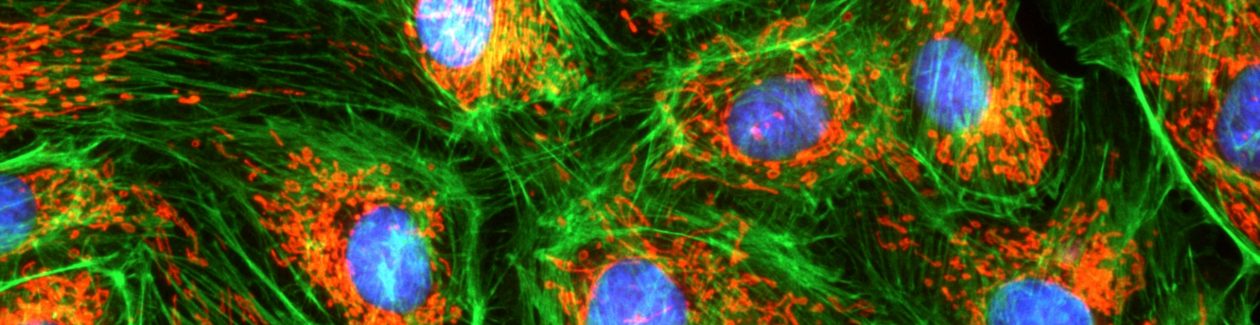
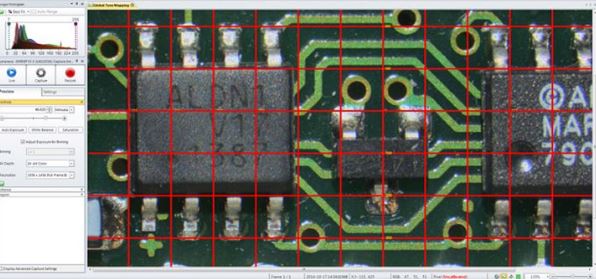
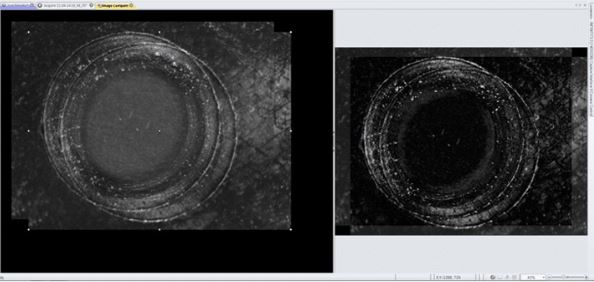
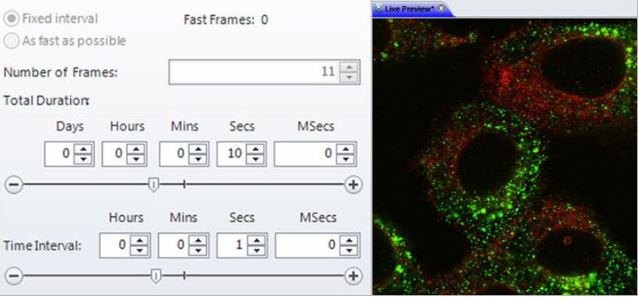
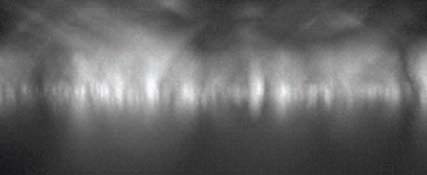
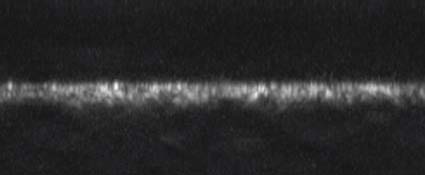
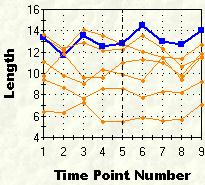
시간 간격으로 이미지를 획득하여 시간에 따른 표본 또는 재료의 변화를 조사합니다. 타임 랩스 이미지를 동영상으로 재생하여 움직임 및 기타 활동의 확인이 가능합니다.
시간변화에 따른 개체 이동변위 측정
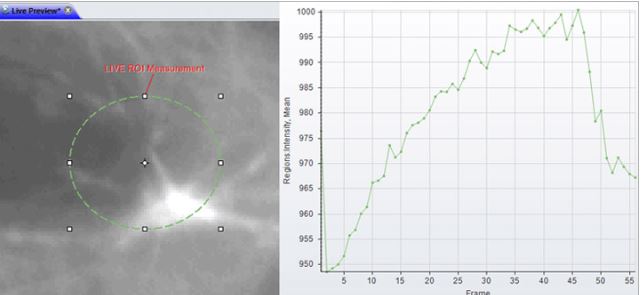
시간 변화에 따른 개체의 intensity 변화량 측정
Morphology
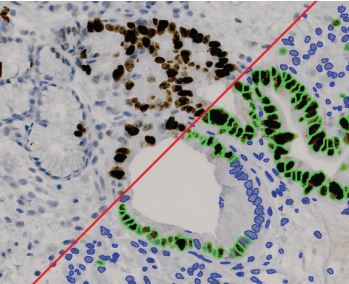
수동/ 자동 측정을 위한 다양한 필터를 사용하여 이미지 구조를 정확하게 분할합니다
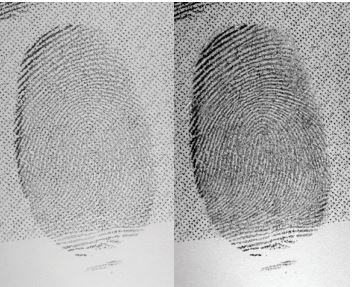
Filter and Enhance
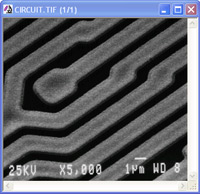
노이즈를 필터링하고 이미지 디테일을 향상시키기 위해 다양한 강화필터와 에지 필터를 사용합니다,
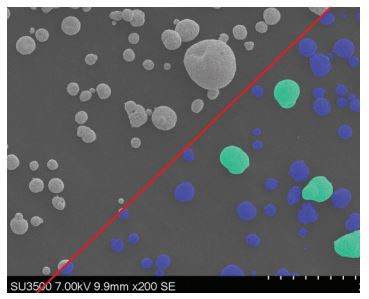
Pseudo-color
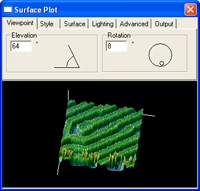
Pseudo-color(의사 색상)을 사용하여 회색조 이미지에서 관심있는 부분을 강조 표시합니다. 일반적으로 주변과 구분하기 어려운 특정 강도를 시각적으로 강조하기 위해 사용합니다.
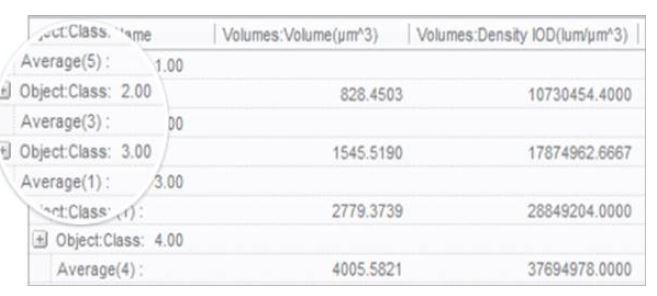
Count and Measure
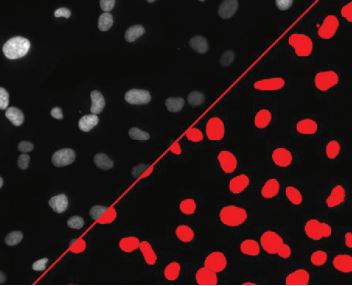
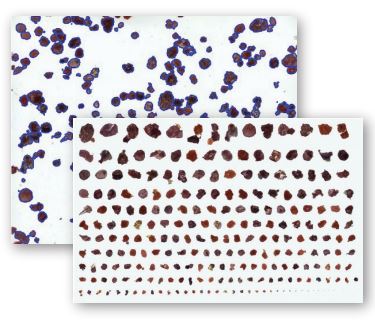
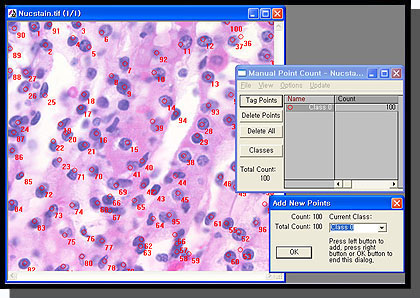
면적, 둘레, 길이, 진원도, 주축 및 부축, 각도, 중심, 내부홀 및 모집단 밀도등 50여가지가 넘는 수동 및 자동 측정 도구를 사용하여 각 객체를 분석합니다. 특정 객체에 태그를 지정하고 크기 또는 기타 측정 항목별로 정렬가능합니다
Count, Size & Sort Objects using Image-Pro Plus analysis software
Wound Healing Analysis – Image-Pro Plus Software
Classify
사용자 정의 분류 방법을 사용하여 분포 분석을위한 측정 매개 변수를 기반으로 셀, 입자 또는 객체를 클래스로 그룹화합니다
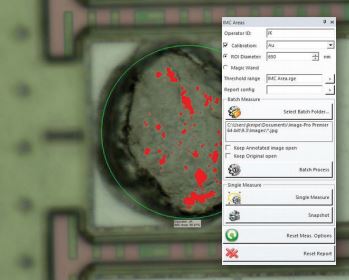
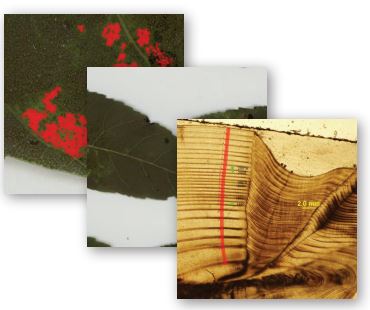
Threshold & Measure Objects
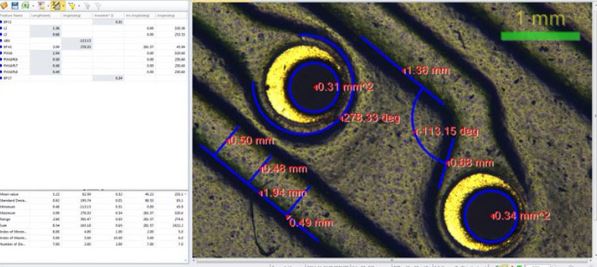
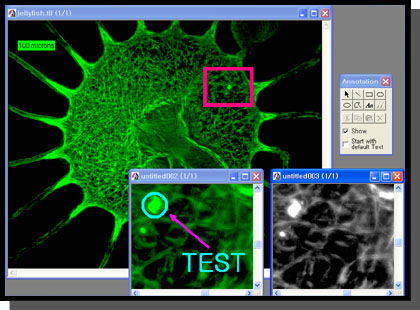
Interactive Measurements
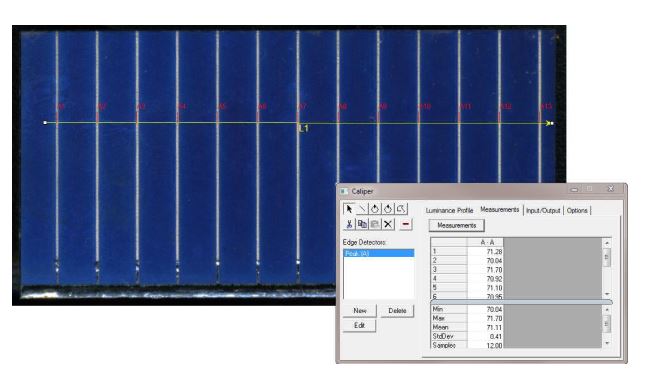
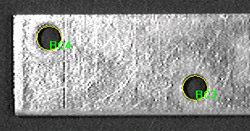
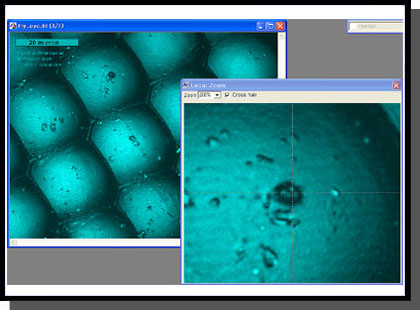
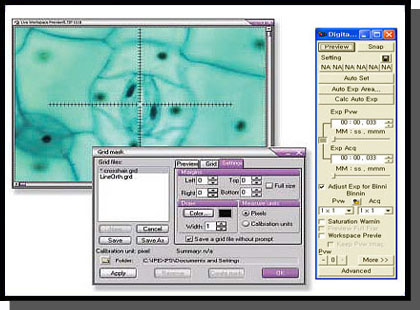
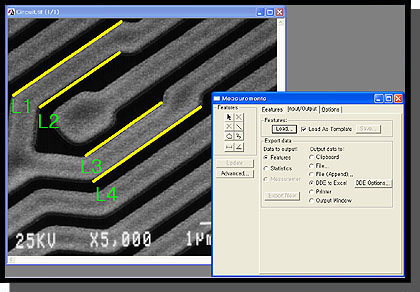
다양한 측정 옵션을 사용하여 이미지에서 수치화 가능한 데이터를 추출이 가능합니다. 계측 도구를 사용하면 가장 적합한 선, 호 및 원을 측정 할 수 있고. 캘리퍼 도구를 사용하여 를 규칙적인 간격 측정이 가능합니다.
Co-localization
생물학적 표본에서 공동 위치를 탐지하고 산점도에서 두 데이터 세트 간의 연관성을 그래픽으로 표시합니다.
Automate with Macros
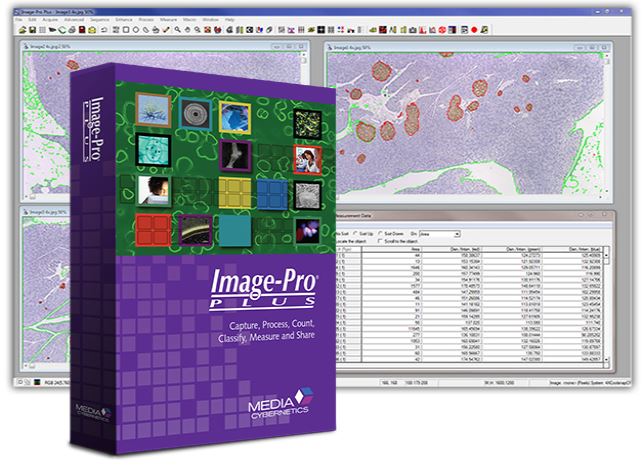
Image-Pro Plus는 편리한 사용자 정의 도구와 내장 매크로 프로그래밍 언어를 제공하여 이미지 분석 절차를 간소화합니다. macro 기록 도구를 사용하여 자주 수행하는 작업을 저장하고 쉽게 편집 할 수 있습니다. Image-Pro Plus에 포함 된 시간 절약형 macro를 사용하거나 사용자가 제공 한 Solutions Zone 사이트에서 다운로드 바랍니다.
This complete solution for high-level microscopy analysis and acquisition combines Image-Pro Plus 5.1 with powerful tools for multi-dimensional microscope control, image deconvolution, and 3D rendering (the same tools found in the Scope-Pro, AFA, SharpStack, and 3D Constructor Plug-in Modules).
*Image-Pro Multi-Dimensional Acquisition
Ideal for automated microscopy work, this package combinesImage-Pro Plus 5.1 with tools for multi-dimensional microscope control and acquisition (the same tools found in the Scope-Pro and AFA Plug-in Modules).
*Image-Pro Microscope Control
The Image-Pro Microscope Control (MC) package combines Image-Pro Plus Version 5.1 with tools to control and program the movement of your automated microscope and/or stage (the same tools found in the Scope-Pro Plug-in Module).
*Image-Pro 3D Suite
Ideal for deconvolution and interactive control and analysis of volume stacks, this package combines Image-Pro Plus 5.1 with image deconvolution and rendering tools (the same tools found in the SharpStack and 3D Constructor Plug-in Modules).
*Image-Pro Analyzer
Ideal for networked users who want advanced analysis tools but do not need image capture functionality at each work station. Image-Pro Analyzer offers all of the powerful analysis features of Image-Pro Plus 5.1, but does not include support for Twain or PhotoShop plug-ins. Available in 5 or 10-seat licenses.
Scope-Pro
Microscope and Stage Automation for Image-Pro Plus Software
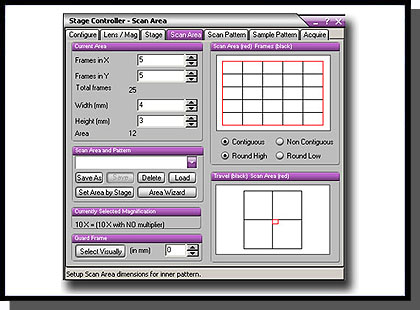
Standard point-and-click functions of the stage control include single step movement in any X, Y, or Z direction. Scope-Pro also controls your motorized filter wheels, shutters, filter sliders, and lamp settings.
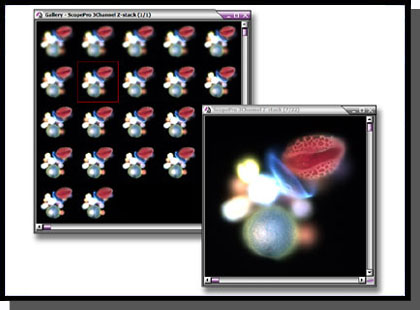
Capture and save Z-stacks of images
Features
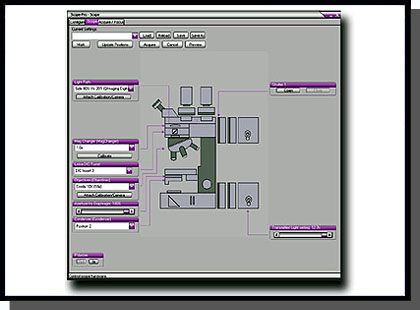
Easy Setup
• Control microscope hardware, including several
brands of filter wheels, shutters, stages, and automated
microscopes
• Use repeatable settings for all optical parameters
associated with image capture
• Define the scan origin at any point
• Improved spatial calibration procedures
• Streamlined and simplified user interface
• Support for multiwell plates and multiple microscope
slid holders
• Combine wells in a multiwell plate into experimental
groups
• Incorporate Image-Pro’s 200+ analysis and processing
routines
• Automate repetitive functions and movements by recording
them in an Auto-Pro macro or Visual Basic program*
Use intuitive graphical setup to configure microscopes.
Calibration
• Control devices with or without a calibration • Preserve calibrations across lens changes with new lens files • Use stage movements to make calibrations
Work with pre-defined multiwell plate patterns for easy setup.
X, Y, and Z Control
• Define the acceptable range of travel
• Capture Z-stacks of images as a stack or sequence
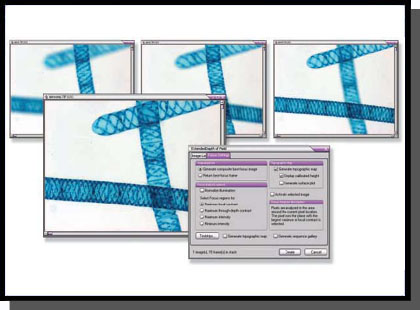
• Generate and create Z-stacks, composite, and extended
depth of field of images for both brightfield and fluorescent
image data
• Measure X, Y, and/or Z distances
• Save X, Y, Z, and time information with the image
• Assemble tiled images into a single high-resolution image
Create, store, and manage scan areas for a variety of imaging conditions.
Streamlined Image Capture
• Easily automate fluorescence and brightfield image
acquisition
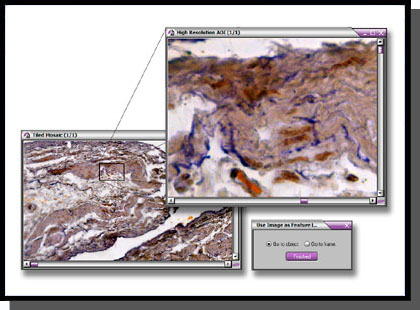
• Capture high-resolution images as a feature map
• Minimize light exposure and reduce photobleaching with
shutter control
• Prompt for non-automated peripheral components
Locate features of interest with image feature map.
* Macro programming tools only available for Image-Pro Plus users.
AFA
Advanced Fluorescence Acquisition-AFA
Automate and Manage Complex Acquisition Modes and Image Sets in Image-Pro Plus Software
The AFA – Advanced Fluorescence Acquisition plug-in module is for designed research microscopists who need to automate and manage complex acquisition setup parameters, user feedback display, and subsequent sorting into sets for analysis. It allows researchers to manage all combinations of image acquisition modes and image sets including time, channel (wavelength), focus (z-stack) and stage position.
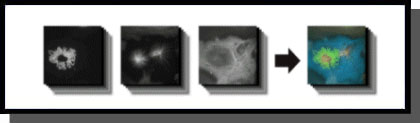
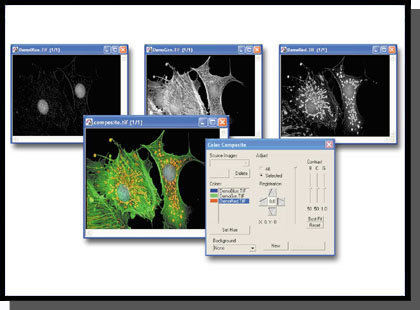
Composite image derived from 16 Z-stack sets from 3 fluorescent channels using AFA *Composite image courtesy of Richard Cole, Wadsworth Center, Albany, NY.
Features
Acquire and Manage Image Datasets in Multiple Dimensions
• Time – Perform time-lapse experiments or automatically calculate the fastest cycle time.
• Channel (wavelength) – Using Scope-Pro’s configuration files, images can be collected from individual
channels. While fluorescence wavelengths are the most common channel type, DIC, RGB, and other modes
can be defined. Descriptive input settings(e.g. Numerical Aperture, Refractive Index and ObjectiveMagnification)
are stored and can be read and used automatically by the SharpStack deconvolution and 3D Constructor Plug-
in Modules.
• Focus (Z-stack) – Return either a single best-focused frame or a full stack for deconvolution and rendering.
Focus drift can be automatically corrected by finding the best starting plane.
• Stage Position – Landmarks can be assigned and used for acquiring data from multiple locations. Alternatively,
a regular pattern(such as a 96-well plate) can be configured. Image-Pro’s tiling tool enables you to
automatically build large images from multiple, smaller location acquisitions.
Configuration Wizard
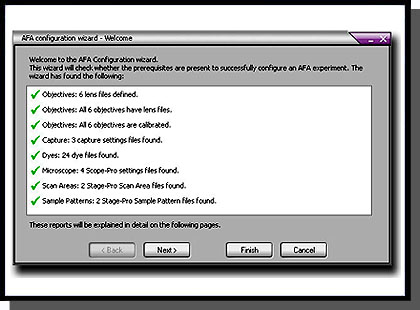
The Configuration Wizard guides you through the necessary setup procedures to ensure the success of your acquisition. AFA will automatically check to make sure it has the necessary settings to acquire your images, including objective lenses, spatial calibrations, camera settings, lookup table information, and Scope-Pro settings.
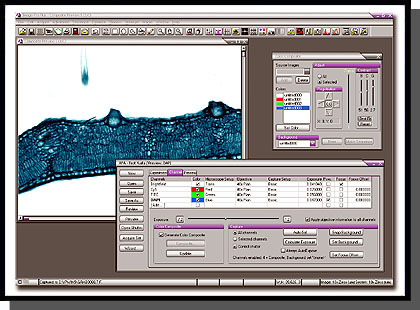
Manage all combinations of image acquisition modes and datasets.
Exposure Control
Full exposure control is available for each channel. You may even specify composite image to be automatically built as the image set is acquired. Convenient testing options ensure that no time is wasted in method development and an optimum image set is produced. For best results, background correction may be implemented.
Ensure the success of your image acquisition with the Configuration Wizard.
Preview Settings
Multiple image sets can take a long time to collect. You do not want to discover at the end of a run that the parameters were not quite right. The preview function reassures that the desired settings are selected.
Status Update
Monitor the progress of your acquisition with the status display. View the total elapsed time, time left between
cycles, current sample position, wavelength, and Z-position. You may also pause your acquisition and re-focus at the current position. If you pause in the middle of a Z-stack, the partial Z-stack will be discarded and a new stack, centered on the new focus position will be acquired.
Manage Multiple Image Sets
Organizing, extracting, and displaying multiple image sets is a tremendous challenge. The elegant, simple interface of the Set Manager tool unlocks the information within your image sets. Use it to play a movie showing changes of any single dimension. The active data set can be extracted as a separate sequence and stored in .seq or .avi file formats that can be shared with other software for presentation and reporting. The Set Manager provides clear parameter display so you may understand how the data was collected (or assembled from separate sources) and documented. Set information may be stored and recalled via a database or via files.
SharpStack
SharpStack
Image Deconvolution and Image Deblurring Tools for Image-Pro Plus Software
SharpStack and SharpStack Plus remove haze and improve resolution in two-and three-dimensional image stacks using deconvolution and deblurring algorithms.
SharpStack offers Nearest Neighbor, No Neighbor, and Inverse Filter algorithm functions, while SharpStack Plus offers additional 2D and 3D Blind algorithms.
• Enhanced Visualization – Produce image with increased resolution, increased contrast, and improved signal-to-noise ratio.
• Work with Quantitative Data – Retain quantitative accuracy of your data with 2D and 3D blind algorithms.
• Smooth Workflow – The SharpStack Plug-in Modules integrate seamlessly with Image-Pro Plus, 3D Constructor and Image-Pro Discovery.
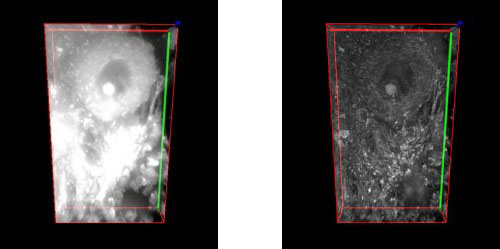
Pig cerebellum image stack deconvolved and rendered (bottom) with SharpStack and 3D Constructor plug-in modules.
Image Deconvolution
Elucidating 3D Structures
Cells and tissues are three-dimensional structures, the observed image at the focal plane contains in-focus information from the plane of interest, as well as out-of-focus contributions from other parts of specimen.As a result, details within the image plane or volume of interest may be obscured. To reveal these structures and produce reliable 3D data, image sharpening techniques such as confocal microscopy and digital deconvolution and are widely employed.
Digital Deconvolution
Digital deconvolution is a mathematical method that restores haze from image planes in an optically sectioned image to its point of origin. The out-of-focus signal may be evaluated as a point-spread-function (PSF) which is applied to reverse the natural effects of blurring within an optical system. The beauty of the technique is that it does not omit or remove any signal being collected by the imaging system. Instead, each photon of light collected is evaluated and restored to its point of origin. The result is an image volume with improved clarity and contrast. The PSF is at the core of the deconvolution process. It determines how light is distorted in an optical system, taking into account such factors as the wavelength(s) of light being collected, the numerical aperture of the objective lens and the refractive index of the immersion media used to couple the microscope objective to the slide. The PSF models how a single point of light reacts to the imaging environment. As light distorts in its travels through the optical path, it assumes an hourglass shape. It is this effect which is then used to evaluate how light distorts at every point within the image volume. Here is how the process works- deconvolution algorithms make the assumption that the raw image volume is a convolution of the estimated volume with the PSF. These methods then make an estimation of what the raw image volume will look like when the PSF is applied to an estimation of how the haze-free volume would appear. The process is iterative, with several estimations being made, each one a closer approximation to the estimated volume. But since it is not possible to arrive at the original volume, constraints are placed on how many iterations the algorithms will make before returning the final deconvolved image. For this reason, the algorithms are referred to as constrained iterative deconvolution.
To simplify the process, the image volumes and PSF are converted into Fourier transforms, a simple method of modeling the data. By multiplying the Fourier transforms of volume and PSF, three dimensional coordinates are re-transformed into an image.
X/Y(left) and X/Y projection(right) of a single point of light blurred in an optical system. This information is used as a PSF to deconvolve images volumes.
Algorithms
Two general methods for haze restoration/removal are included in SharpStack and SharpStack Plus. Not only are deconvolution algorithms included, but also No- and Nearest-Neighbor haze removal (“deblurring”) methods.
Deblurring methods achieve resolution by subtracting light haze from image planes. The result is previously hidden details suddenly becoming apparent. Controls within SharpStack allow you to choose the appropriate level of haze to subtract.
The deconvolution routine used by SharpStack Plus makes use of the Maximum Likelihood Estimation algorithm. A blind PSF models the characteristics of the objective lens used to collect the image and creates a theoretical representation of blurring in the optical system. This blurring function is then used as the basis for restoring signal in the volume. The routine does not omit signal to improve resolution, providing sharp, clear and quantitatively accurate details of previously obscured structures.
Methods Included with SharpStack Plus:
• 3D Blind Deconvolution -Operates on the entire image volume. Photons are not removed so the image remains quantifiable. Uses the Maximum Likelihood Estimation algorithm to achieve resolution.
• 2D Blind Deconvolution -Operates in an iterative manner on a single image plane. This method has better noise suppression and resolution improvement compared to Neighbor-based methods. The 2D Blind method also retains the captured photons rather than removing them, yielding a quantifiable image.
• No Neighbors is a 2D deblurring method applied to a single image plane. Although this method is the fastest, it may not be as representative of the sample as the other methods.
• Nearest Neighbors is a 3D deblurring method which operates on limited Z information (3 slices). It operates by evaluating information from image slices that reside above and below the user-defined image plane of interest.
• Inverse Filter is a 3D deblurring algorithm applied to entire image volumes. It is a one-step, non-iterative approach based on the Wiener filter method. To achieve resolution with this technique, the captured image is divided by the analytic PSF. This method is a fast way to return a qualitative image. It will also return a better image than either the No- or Nearest Neighbor methods, especially along the X/Z and Y/Z axes. This filter can also incorporate a correction for spherical aberrations.
Methods Included with SharpStack and SharpStack Plus:
• No Neighbors
• Nearest Neighbors
• Inverse Filter
Spherical Aberration Correction:
SharpStack and SharpStack Plus contain a method for correcting spherical aberrations.
These effects may appear as haze in an image and result from irregularities in the optical system such as refractive index mismatches (i.e. using an oil immersion lens with a sample mounted in aqueous media) or incorrect coverslip thicknesses.
Figure 3 aFigure 3 cFigure 3 bFigure 3 d
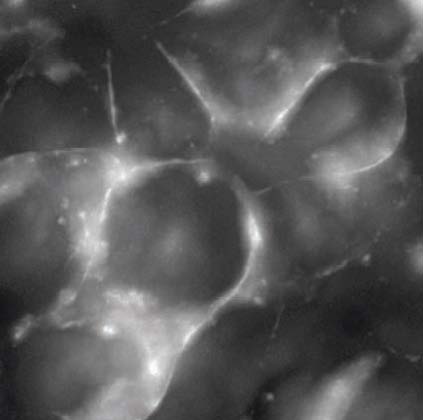
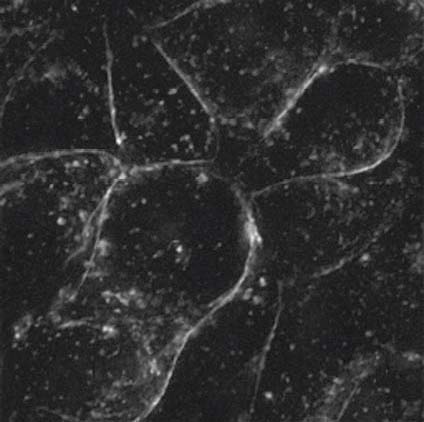
Figure 3: Example of spherically aberrated image: a) XY and b) XZ maximum intensity projection of the original image*, c) XY and d) XZ maximum intensity projection of the deconvolved image with spherical aberration compensation (algorithm provided by AutoQuant Imaging, Inc.).
*Courtesy of Diane Kube, Ph.D., Co-Director CF Imaging Core, CWRU Department of Pediatrics
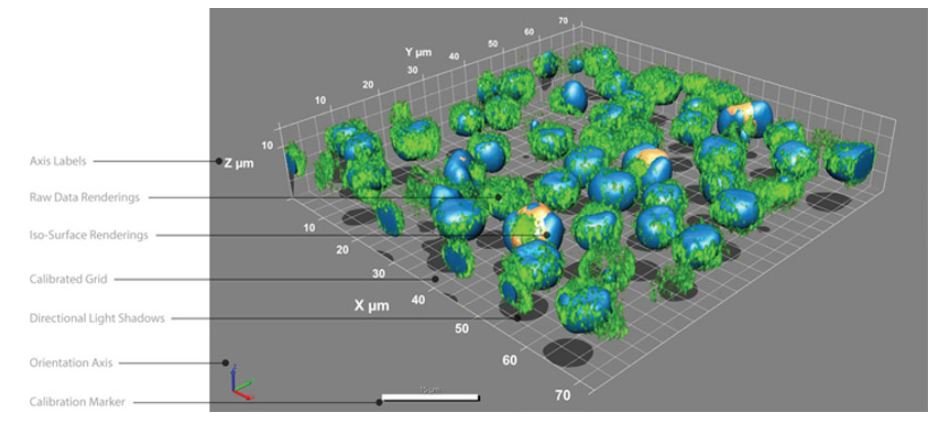
3D Constructor
3D Rendering and Measurement Tools for Image-Pro Plus Software
3D Constructor is for scientific researchers who wish to explore three-dimensional relationships within and among objects. It is available in the following Image-Pro packages:
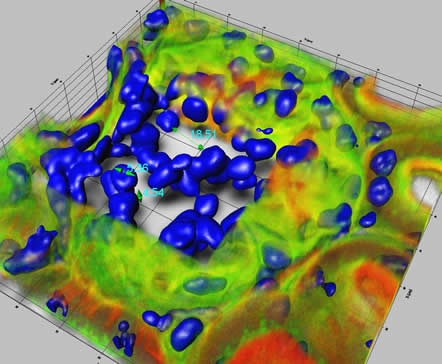
3D rendering of a kidney glomerulus Image courtesy of Dr. Brian Matsumoto -Department of Molecular, Cellular and Developmental Biology University of California, Santa Barbara, CA
Overview
No other analytical imaging product for 3D rendering offers the power and functionality of Image-Pro’s 3D Constructor tool. Gain a better understanding of your images by visualizing, exploring, and applying measurements in three and four dimensions.
Images in Three Dimension
Explore the depth of your images by visualizing and interacting with them in three dimensions.
View volumes from any angle, with adjustable transparency and shading.
Zoom, rotate, and pan image stacks.
Work with calibrated Voxel-size.
Use adjustable lighting controls for enhanced viewing.
Visualize clipping planes in orthogonal and oblique plane-selections.
View internal features of 3D stacks by selecting volume of interest (VOI).
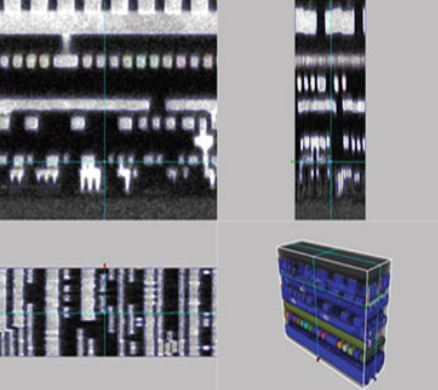
Display synchronized, orthogonal views through an image stack with Stack Slicer.
View multiple iso-surface renderings based on segmentation of selected intensities and colors.
Project a virtual shadow of your image to get a better visual understanding of your object’s 3D shape.
Apply Measurements to 3D Images
Obtain quantifiable data from your three-dimensional image through manual and volume measurements.
Manual Measurements in 3D Constructor:
Obtain quantifiable data from your three-dimensional image through manual and volume measurements.
• Individual point.
• Point-to-Point distance.
• Point-to-Surface distance line.
• Line.
• Angle.
• Point-to-Line distance.
• Circumference of an object bisected by plane.
• Surface distance between two points.
Volume Measurements in 3D Constructor:
• Volume.
• Surface Area.
• Sphericity.
• Feret measurements.
• BOunding box measurements.
• Centroid information.
• Automatic update of measurements from frame-to-fram playback of 4D sequences.
• Set filter ranges for any measurements.
• Clean borders.
Track Objects in a 4D Sequence – NEW
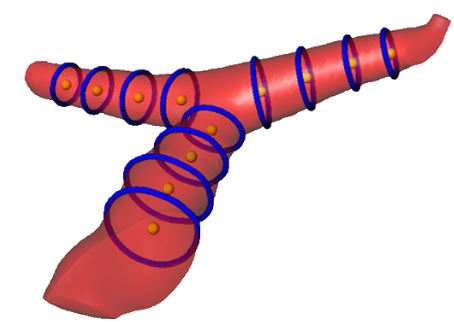
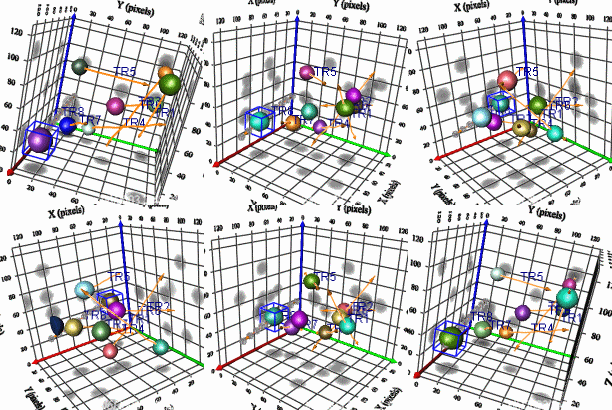
Track and measure the movement of individual objects in a 4D sequence with the 4D tracking feature in 3D Constructor. Choose to automatically find 4D tracks in your image or manually track objects.
Example of 4D object tracking and related tracking data.
Visualize, Trace, and Count Neurons – NEW
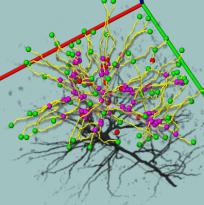
Analyze neurons and other filament structures with the neuron tracing tool in 3D Constructor. Visualize and count the number of branches in a neuron as well as the length and volume of each branch.
Example of neuron analysis using Image-Pro Advanced Microscopy Suite (AMS). Image courtesy of Ling Wang, Department of Neuroscience (Tuszynski Lab) and Brendan Brinkman- Neuroscience Microscopy Shared Facility – University of California, San Diego, CA
Explore Wavelength Overlap with 3D Colocalization
Use Image-Pro’s colocalization tool to indicate which fluorescent regions are to be considered as overlapped, or colocalized. Then activate 3D Constructor to display the colocalized regions in three dimensions.
Create Animations of 3D Images
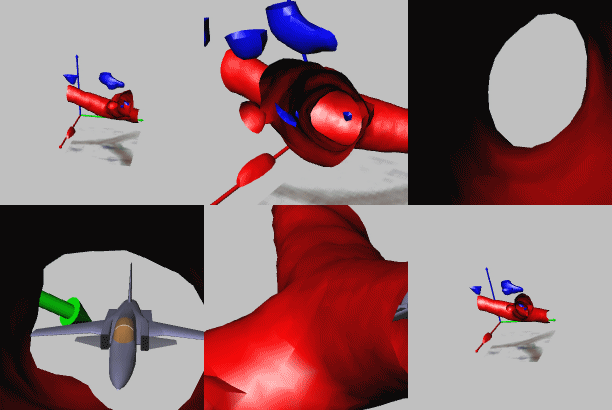
Share your 3D rendered images with others using 3D Constructor’s easy 3D animation creation tools. Create animations with changing transparencies, slide positions, colors, etc. to give others a better understanding of the depth of your 3D image. Save in AVI or multi-frame TIFF or SEQ formats.
3D animation created using 3D Constructor.
Display and Export Image Data
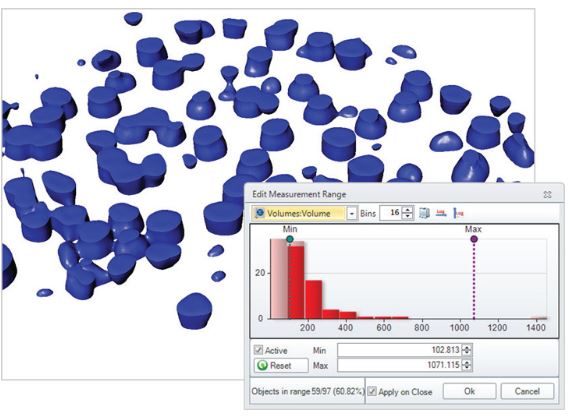
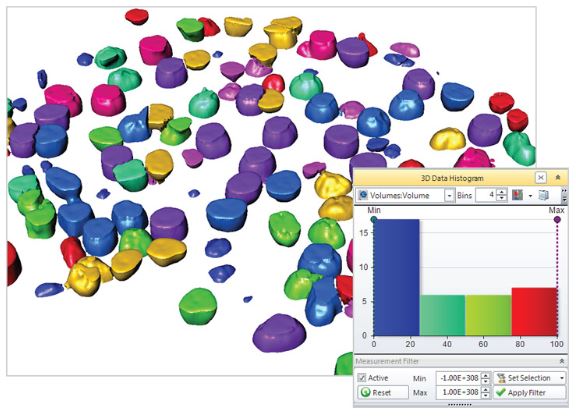
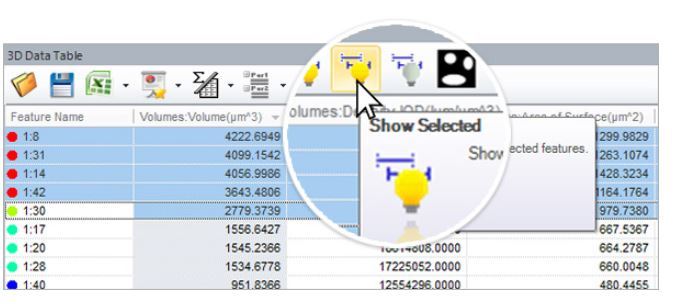
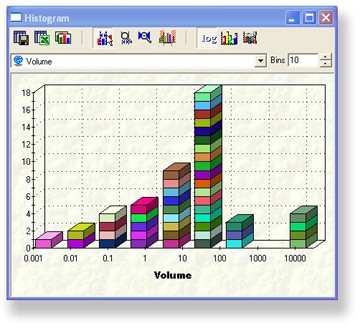
Display and interact with measurement data from individual, histogram, or scatterplot displays. Export 3D measurement data to Microsoft® Excel.
View measurements in histograms and export to Microsoft Excel.
Color-Pro
Color-Pro Plug-in
Accurate Color Rendering for Your Entire Imaging System
Manage the display of color fidelity of your images within Image-Pro to ensure that you are seeing accurate, consistent colors across your imaging system.
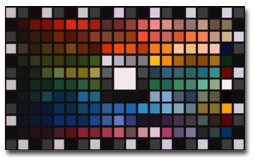
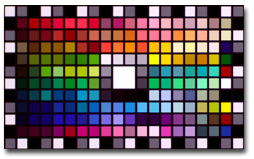
Many analyses are based upon the intensities within each RGB channel for identification, classification and/or quantitation. With Color-Pro color management, you can be sure the color-corrected values will not be compromised.
Key Benefits
• Consistent Color – Feel confident that the colors you see through your microscope eyepiece are the same colors you see on your monitor.
• Better Quantitative Results – Free yourself from relying on personal observation for qualitative interpretation and move towards greater automation and quantitative results. Color-Pro is particularly valuable for pathologists, production facilities, and others who rely heavily on color interpretation to make important decisions.
Before color correctionAfter color correction
Features
Color-Pro Plug-In Module Features
• Every image can have its own color space.
• Allows ICC profiles for input devices (like a camera), display devices, light sources and output devices to be corrected automatically or applied to collected image files in order to maintain accurate color rendering.
• Color profiles associated with images can be saved/loaded in TIFF files.
• Convert images from one color space to another.
• Measure XYZ and L*a*b* colors according to the assigned image color space.
• Includes ICC profiles for cameras supported by the Image-Pro family (Image-Pro Plus, Image-Pro Discovery, and Image-Pro Express)
Color-Pro Plug-in Module Kit Includes:
• Color-Pro Plug-In Module for Image-Pro 5.0 family of products
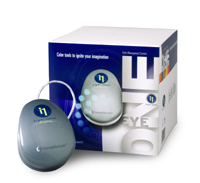
• Eye-One Monitor Profile Package
GretagMacbeth Eye-One Monitor Profile Package
The Eye-One Monitor Profile Package includes a colorimeter and software that enables you to adjust your monitor to display consistent, predictable color. The Eye-One Display compact colorimeter measures the color output of your monitor – both CRT and LCD. The Eye-One Match 2.0 Software works effortlessly with the Eye-One Display to build an ICC profile.
Eye-One Monitor Profile Package
* Profile Package features include:
• USB powered
• Use at multiple workstations at no additional licensing fee
• Includes counterweight for easy use with any CRT or LCD monitor.
• Macintosh and PC compatible – Classic, OS X, Windows 2000, XP Professional
(Image-Pro products are only available for the PC)
시간 간격으로 이미지를 획득하여 시간에 따른 표본 또는 재료의 변화를 조사합니다. 타임 랩스 이미지를 동영상으로 재생하여 움직임 및 기타 활동의 확인이 가능합니다.
시간변화에 따른 개체 이동변위 측정
시간 변화에 따른 개체의 intensity 변화량 측정
Morphology
수동/ 자동 측정을 위한 다양한 필터를 사용하여 이미지 구조를 정확하게 분할합니다
Filter and Enhance
노이즈를 필터링하고 이미지 디테일을 향상시키기 위해 다양한 강화필터와 에지 필터를 사용합니다,
Pseudo-color
Pseudo-color(의사 색상)을 사용하여 회색조 이미지에서 관심있는 부분을 강조 표시합니다. 일반적으로 주변과 구분하기 어려운 특정 강도를 시각적으로 강조하기 위해 사용합니다.
Count and Measure
면적, 둘레, 길이, 진원도, 주축 및 부축, 각도, 중심, 내부홀 및 모집단 밀도등 50여가지가 넘는 수동 및 자동 측정 도구를 사용하여 각 객체를 분석합니다. 특정 객체에 태그를 지정하고 크기 또는 기타 측정 항목별로 정렬가능합니다
Count, Size & Sort Objects using Image-Pro Plus analysis software
Wound Healing Analysis – Image-Pro Plus Software
Classify
사용자 정의 분류 방법을 사용하여 분포 분석을위한 측정 매개 변수를 기반으로 셀, 입자 또는 객체를 클래스로 그룹화합니다
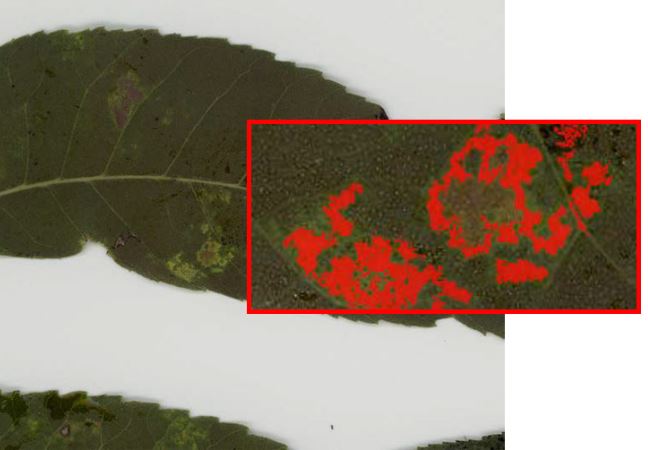
Threshold & Measure Objects잎사귀의 병든 부분의 면적% 측정 가능
Interactive Measurements
다양한 측정 옵션을 사용하여 이미지에서 수치화 가능한 데이터를 추출이 가능합니다. 계측 도구를 사용하면 가장 적합한 선, 호 및 원을 측정 할 수 있고. 캘리퍼 도구를 사용하여 를 규칙적인 간격 측정이 가능합니다.
엣지를 설정하여 일정 구간의 간격 측정
Co-localization
생물학적 표본에서 공동 위치를 탐지하고 산점도에서 두 데이터 세트 간의 연관성을 그래픽으로 표시합니다.
Automate with Macros
Image-Pro Plus는 편리한 사용자 정의 도구와 내장 매크로 프로그래밍 언어를 제공하여 이미지 분석 절차를 간소화합니다. macro 기록 도구를 사용하여 자주 수행하는 작업을 저장하고 쉽게 편집 할 수 있습니다. Image-Pro Plus에 포함 된 시간 절약형 macro를 사용하거나 사용자가 제공 한 Solutions Zone 사이트에서 다운로드 바랍니다.